前言
回顾下之前用 Unity 写的 PPT 吧!太久没有用 Unity 了,熟悉又陌生。
正文
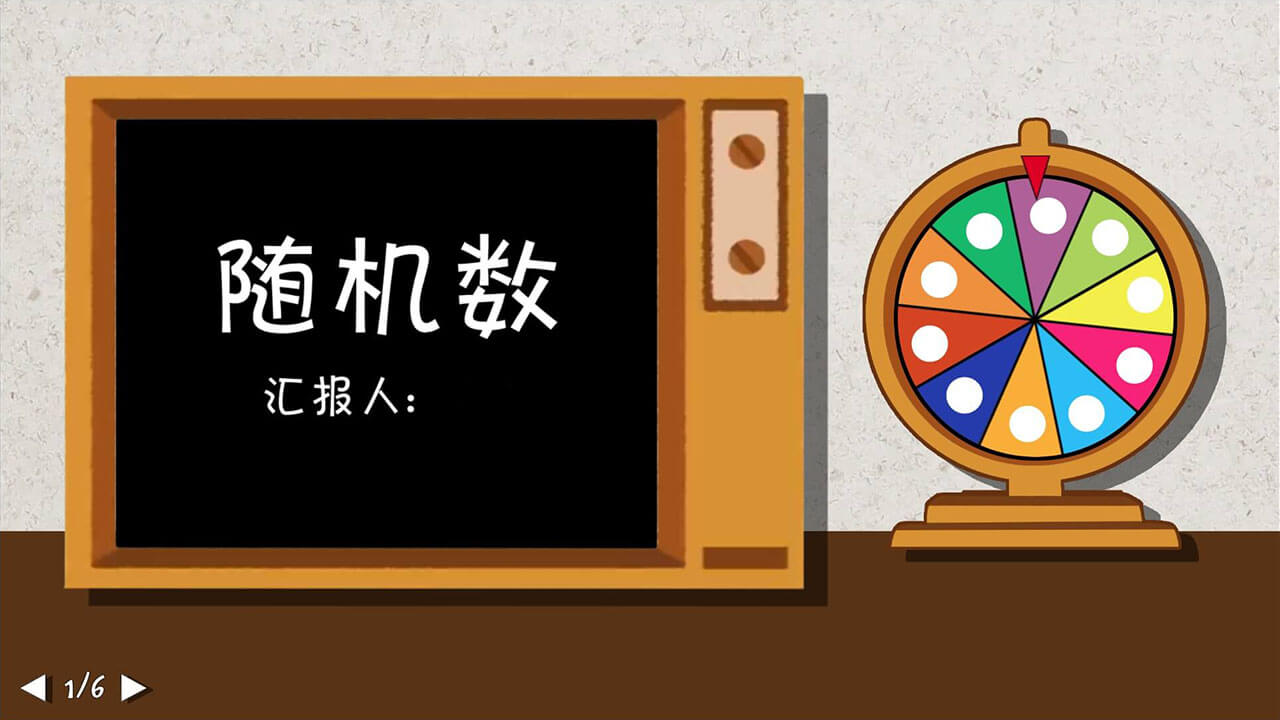
随机数
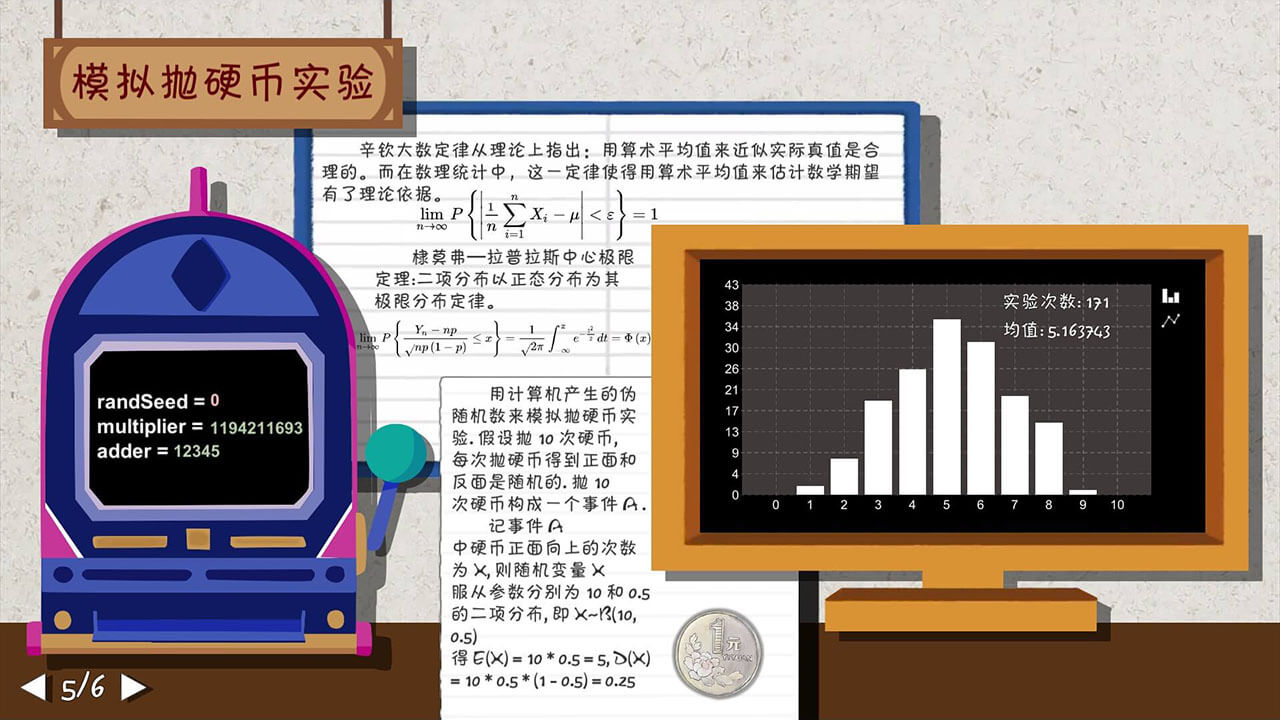
刚进校因为疫往情深而被关在宿舍,刚好还要线上上课汇报而创作的作品!
1
场景切换器
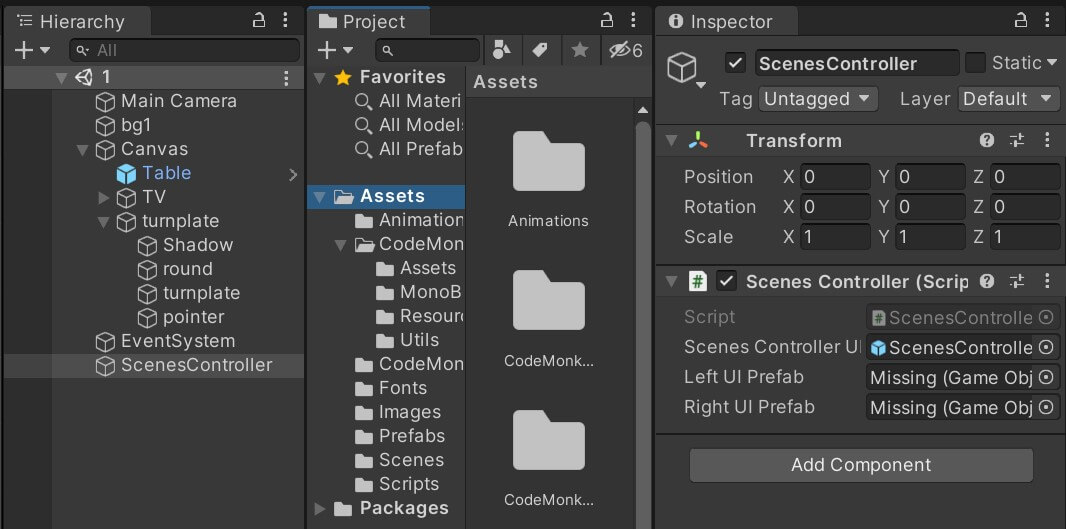
using CodeMonkey.Utils;
using System.Collections;
using System.Collections.Generic;
using UnityEngine;
using UnityEngine.SceneManagement;
using UnityEngine.UI;

public class ScenesController : MonoBehaviour
{
    [SerializeField] private GameObject scenesControllerUIPrefab;
    [SerializeField] private GameObject leftUIPrefab;
    [SerializeField] private GameObject rightUIPrefab;
    private int scenesNum = 6;
    private int sceneIndex = 1;
    public static ScenesController instance;
    private GameObject UIGameObject;
    private GameObject leftUIGameObject;
    private GameObject rightUIGameObject;

    private bool enterScene = false;
    private bool exitScene = false;
    private float timer = 2f;
    private float waitTime = 1f;
    private float enterSceneTime = 1f;
    private float exitSceneTime = 1f;
    // Start is called before the first frame update
    void Awake()
    {
        if (FindObjectsOfType<ScenesController>().Length > 1)
        {
            Destroy(gameObject);
            return;
        }
        instance = this;
        DontDestroyOnLoad(gameObject);
        initUI();
        // enterScene = true;
    }

    void Update()
    {
        if (!GameObject.Find("Canvas").transform.Find("ScenesControllerUI"))
        {
            timer = enterSceneTime + waitTime;
            initUI();
            // enterScene = true;
        }
    }

    private void initUI()
    {
        Debug.Log("initUI()");
        UIGameObject = Instantiate(scenesControllerUIPrefab);
        UIGameObject.name = "ScenesControllerUI";
        UIGameObject.transform.SetParent(GameObject.Find("Canvas").transform);
        UIGameObject.transform.Find("PriorBtn").GetComponent<Button_UI>().ClickFunc = () => { onPriorBtn(); };
        UIGameObject.transform.Find("NextBtn").GetComponent<Button_UI>().ClickFunc = () => { onNextBtn(); };
        UIGameObject.transform.Find("Text").GetComponent<Text>().text = sceneIndex + "/" + scenesNum;
    }

    private void onNextBtn()
    {
        sceneIndex++;
        if (sceneIndex == scenesNum + 1)
            sceneIndex = 1;
        //timer = exitSceneTime;
        //exitScene = true;
        SceneManager.LoadScene(sceneIndex.ToString());
    }

    private void onPriorBtn()
    {
        sceneIndex--;
        if (sceneIndex == 0)
            sceneIndex = scenesNum;
        //timer = exitSceneTime;
        //exitScene = true;
        SceneManager.LoadScene(sceneIndex.ToString());
    }
}
旋转的轮盘
一页 PPT 就是一个 Scene,设置一个 DontDestroyOnLoad(gameObject); 的场景切换器来切换场景。
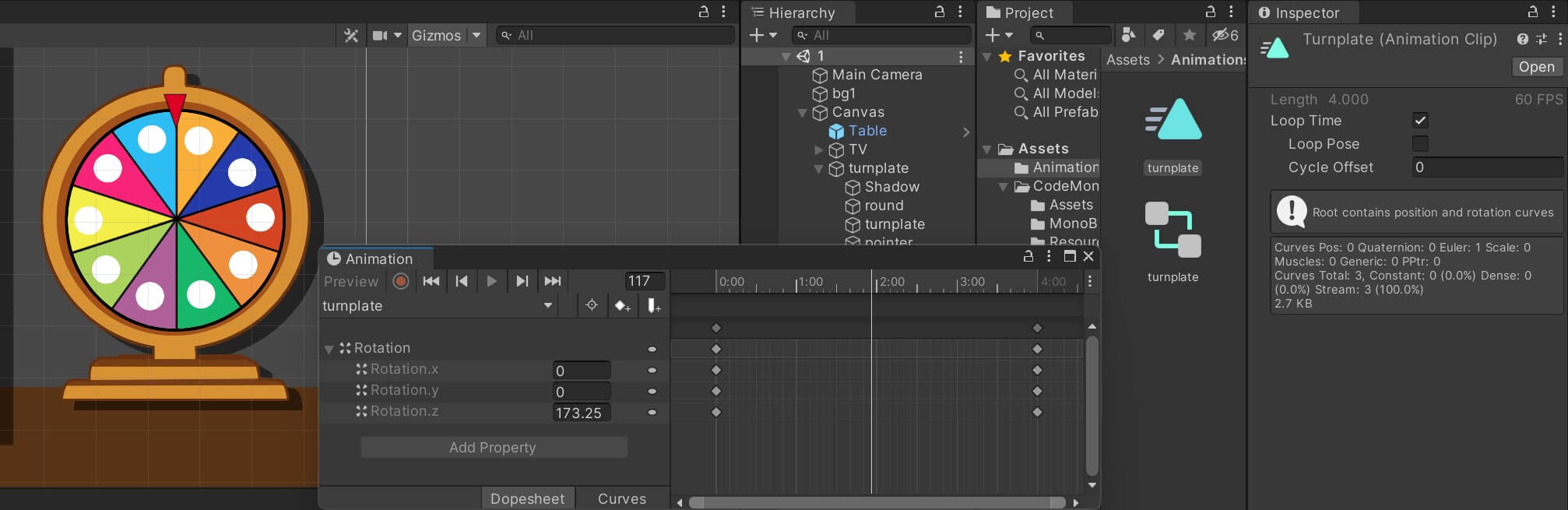
用 Animation 组件控制的会旋转的轮盘。
2
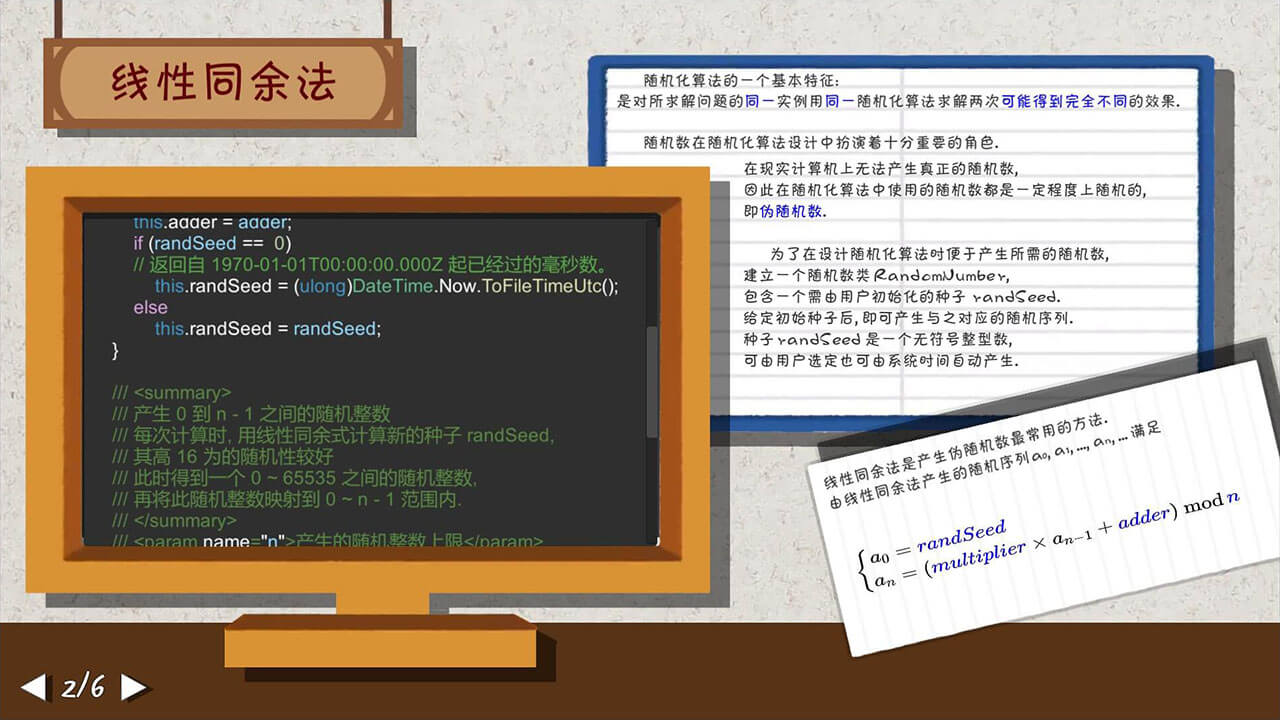
数学公式
数学公式是在 在线 LaTeX 公式编辑器-编辑器 (latexlive.com) 输出的图片来显示的。
滚动代码
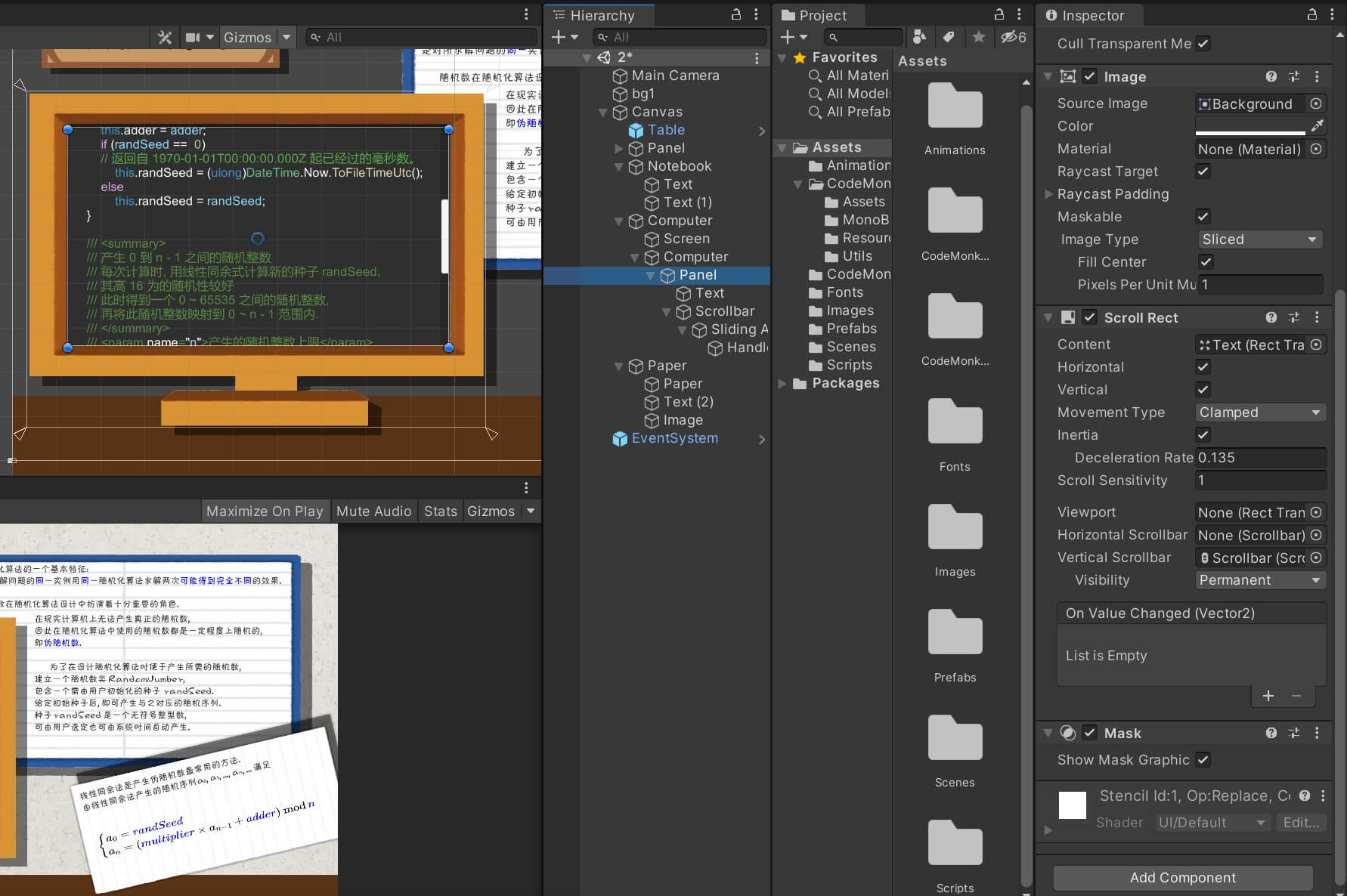
一大坨代码放不下一页中,设计了一个滚动条。
<color="#3f93c2">using</color> System;

<color="#3f93c2">public class</color> <color="#4ec9b0">RandomNumber</color>
{
    <color="#3f93c2">private ulong</color> maxshort =<color="#b5cea8"> 65536L</color>;
    <color="#3f93c2">private ulong</color> <color="#ffc0c0">multiplier</color> = <color="#b5cea8">1194211693L</color>;
    <color="#3f93c2">private ulong</color> <color="#ffc0c0">adder</color> = <color="#b5cea8">12345L</color>;
    <color="#3f93c2">private ulong </color><color="#ffc0c0">randSeed</color>;

    <color="#588841">/// <summary>
    /// 构造函数
    /// </summary></color>
    <color="#3f93c2">public</color> <color="#4ec9b0">RandomNumber</color>(<color="#3f93c2">ulong</color> <color="#93d9fe">multiplier</color>, <color="#3f93c2">ulong</color> <color="#93d9fe">adder</color>, <color="#3f93c2">ulong</color> <color="#93d9fe">randSeed</color> = <color="#b5cea8">0</color>)
    {
        <color="#3f93c2">this</color>.multiplier = <color="#93d9fe">multiplier</color>;
        <color="#3f93c2">this</color>.adder = <color="#93d9fe">adder</color>;
        <color="#d8a0df">if</color> (<color="#93d9fe">randSeed</color> == <color="#b5cea8"> 0</color>)
        <color="#57a648">// 返回自 1970-01-01T00:00:00.000Z 起已经过的毫秒数。</color>
            <color="#3f93c2">this</color>.randSeed = (<color="#3f93c2">ulong</color>)<color="#63ba86">DateTime</color>.Now.<color="#dcdcaa">ToFileTimeUtc</color>();
        <color="#d8a0df">else</color>
            <color="#3f93c2">this</color>.randSeed = <color="#93d9fe">randSeed</color>;
    }

    <color="#588841">/// <summary>
    /// 产生 0 到 n - 1 之间的随机整数
    /// 每次计算时, 用线性同余式计算新的种子 randSeed,
    /// 其高 16 为的随机性较好
    /// 此时得到一个 0 ~ 65535 之间的随机整数,
    /// 再将此随机整数映射到 0 ~ n - 1 范围内.
    /// </summary>
    /// <param </color>name<color="#588841">=</color>"<color="#93d9fe">n</color>"<color="#588841">>产生的随机整数上限</param>
    /// <returns>产生的随机整数</returns></color>
    <color="#3f93c2">public ushort</color> <color="#dcdcaa">Random</color>(<color="#3f93c2">ulong</color> <color="#93d9fe">n</color>)
    {
        randSeed = multiplier * randSeed + adder;
        <color="#d8a0df">return</color> (<color="#3f93c2">ushort</color>)((randSeed >> <color="#b5cea8">48</color>) % <color="#93d9fe">n</color>);  <color="#57a648">// 取高 16 位</color>
    }

    <color="#588841">/// <summary>
    /// 产生 [0, 1) 之间的随机浮点数
    /// </summary>
    /// <returns>产生的随机浮点数</returns></color>
    <color="#3f93c2">public double</color> <color="#dcdcaa">fRandom</color>()
    {
        <color="#d8a0df">return</color> <color="#dcdcaa">Random</color>(maxshort) / (<color="#3f93c2">double</color>)maxshort;
    }
}
为了让代码高亮,一个一个填的富文本标签……
3
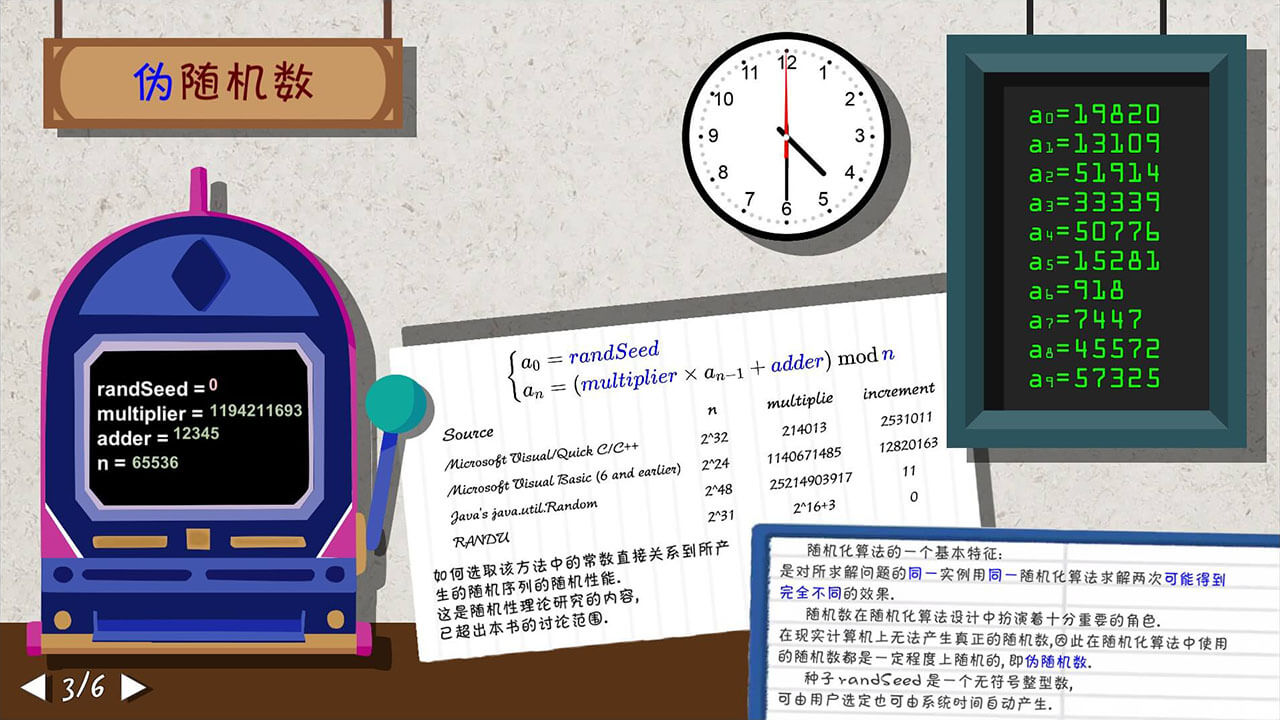
创建随机数
随便创了个 Scene3Controller 类来控制这个场景里的所有逻辑,有点屎山的味道:
Update()里切换的时钟- 仿照课本,用
randSeed、multiplier、adder、n创建随机数。 - 将随机数显示在屏幕上,当时为了写出这个隔半秒显示一行的效果还请教了小迷糊,使用了协程
IEnumrator,当年 RMXP 一句话的事情 orz。
using CodeMonkey.Utils;
using System.Collections;
using System.Collections.Generic;
using System.Reflection;
using UnityEngine;
using UnityEngine.UI;

public class Scene3Controller : MonoBehaviour
{
    [SerializeField] private GameObject inputField;
    [SerializeField] private Button_UI startBtn;
    [SerializeField] private Image startImage;
    [SerializeField] private Image stopImage;
    [SerializeField] private Text screenText;
    [SerializeField] private RectTransform clockPointer;

    private RandomNumber randomNumber = null;
    private ulong multiplier = 1194211693L;
    private ulong adder = 12345L;
    private ulong randSeed = 0;
    private ulong n = 65536L;

    private bool running = false;
    private float timer = 0;

    // Start is called before the first frame update
    void Awake()
    {
        screenText.text = "";
        inputField.transform.Find("randSeed").GetComponent<InputField>().text = "" + randSeed;
        inputField.transform.Find("multiplier").GetComponent<InputField>().text = "" + multiplier;
        inputField.transform.Find("adder").GetComponent<InputField>().text = "" + adder;
        inputField.transform.Find("n").GetComponent<InputField>().text = "" + n;

        startBtn.ClickFunc = () => {
            if (running)
            {
                StopCoroutine("TestProgram");
            }
            else
            {
                try
                {
                    multiplier = ulong.Parse(inputField.transform.Find("multiplier").GetComponent<InputField>().text);
                    adder = ulong.Parse(inputField.transform.Find("adder").GetComponent<InputField>().text);
                    randSeed = ulong.Parse(inputField.transform.Find("randSeed").GetComponent<InputField>().text);
                    n = ulong.Parse(inputField.transform.Find("n").GetComponent<InputField>().text);
                    randomNumber = new RandomNumber(multiplier, adder, randSeed);
                }
                catch
                {
                    Debug.Log("失败!");
                    randomNumber = new RandomNumber(multiplier, adder, randSeed);
                }
                startBtn.hoverBehaviour_Image = stopImage;
                StartCoroutine("TestProgram");
            }
            stopImage.gameObject.SetActive(!running);
            startImage.gameObject.SetActive(running);
            running = !running;
        };
    }

    // Update is called once per frame
    void Update()
    {
        try
        {
            if (ulong.Parse(inputField.transform.Find("randSeed").GetComponent<InputField>().text) == 0)
            {
                inputField.transform.Find("randSeed").Find("Text").GetComponent<Text>().color = new Color(1, 0.75f, 0.75f);
            }
            else
            {
                inputField.transform.Find("randSeed").Find("Text").GetComponent<Text>().color = new Color(181f / 255f, 206f / 255f, 168 / 255f);
            }
        }
        catch
        {
            inputField.transform.Find("randSeed").Find("Text").GetComponent<Text>().color = new Color(181f / 255f, 206f / 255f, 168 / 255f);
        }

        if(timer<1f)
        {
            timer += Time.deltaTime;
        }
        else
        {
            timer = 0f;
            clockPointer.Rotate(new Vector3(0, 0, -90));
        }

    }

    /// <summary>
    /// 测试程序
    /// </summary>
    private IEnumerator TestProgram()
    {
        screenText.text = "";
        for (int i=0;i<10;i++)
        {
            screenText.text += "a<size=20>"+ i + "</size>=" + randomNumber.Random2(n) + "\n";
            yield return new WaitForSeconds(.5f);
        }
        stopImage.gameObject.SetActive(!running);
        startImage.gameObject.SetActive(running);
        running = !running;
    }
}
4
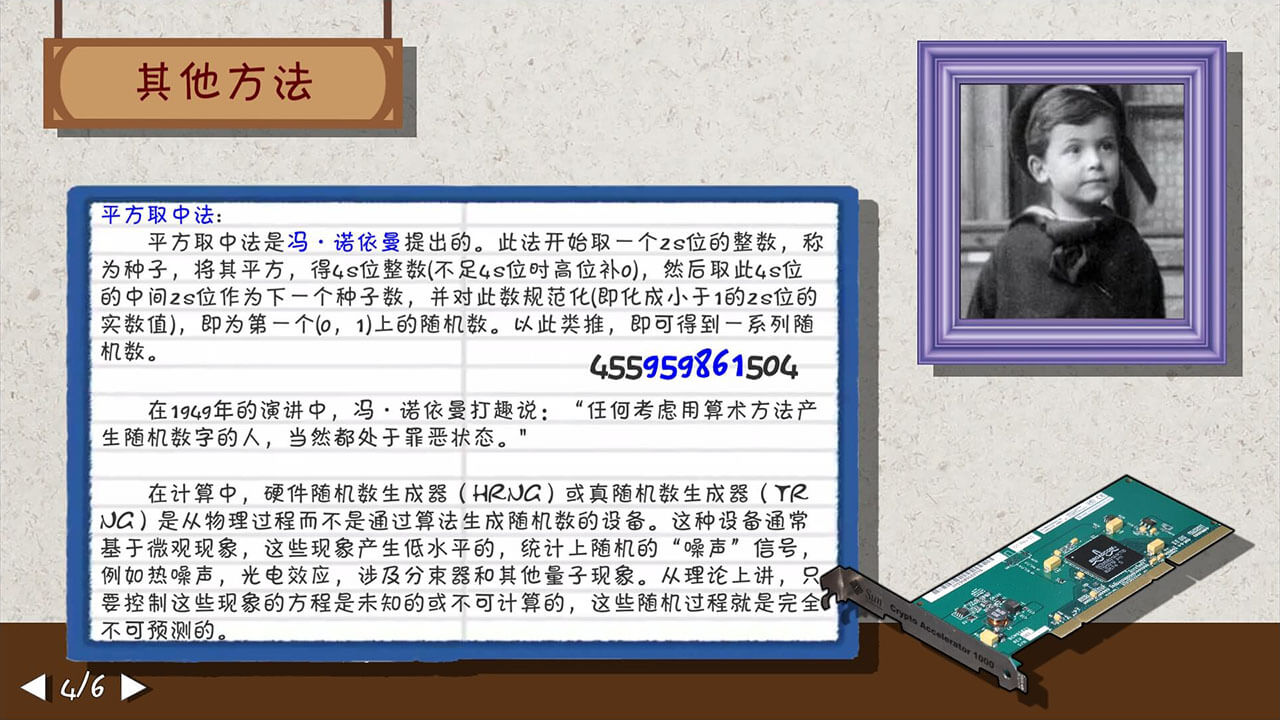
平方取中法
仿照课本写的平方取中法,数字中间的部分蓝色高亮。
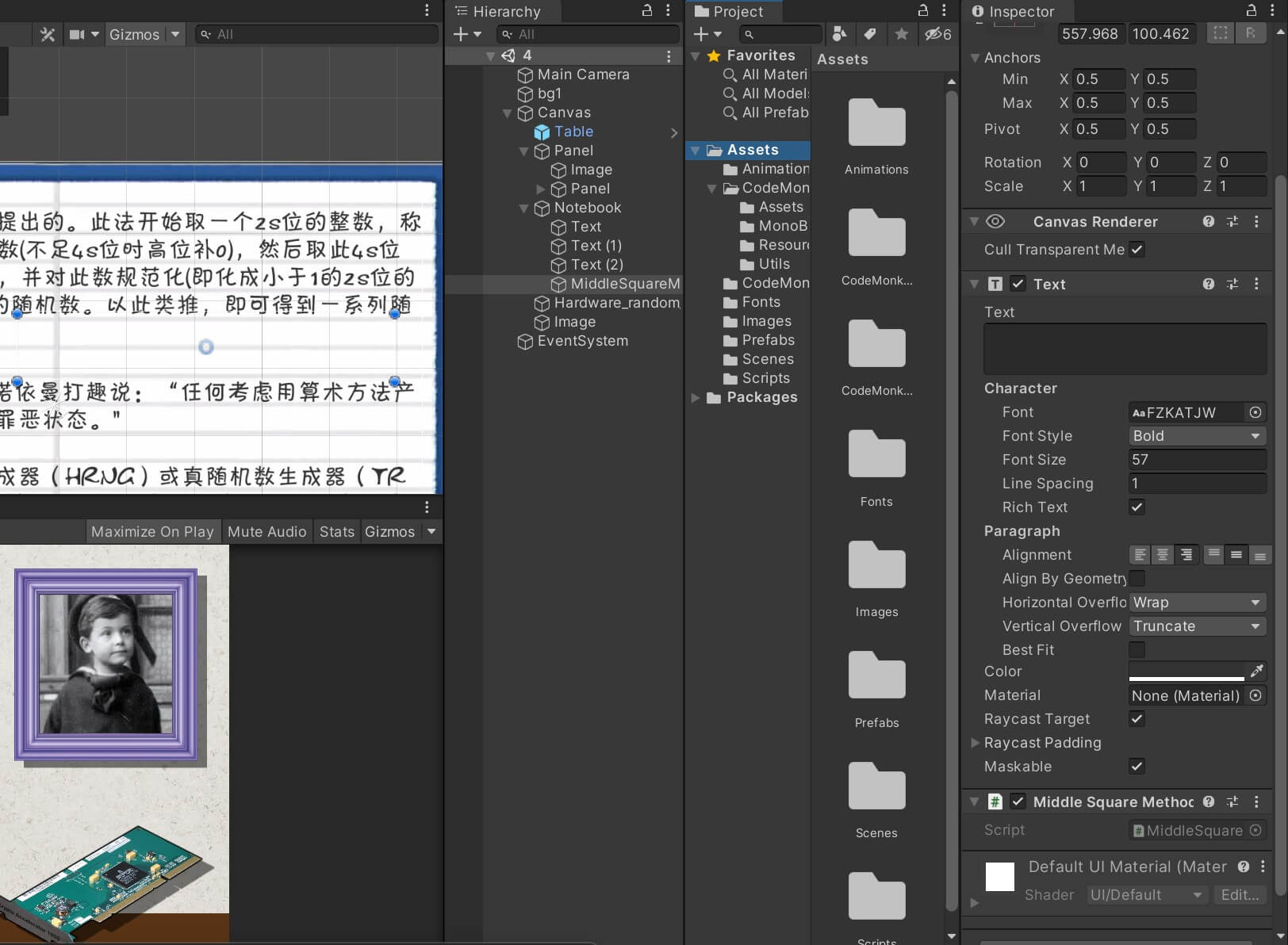
using System.Collections;
using System.Collections.Generic;
using UnityEditor;
using UnityEngine;
using UnityEngine.UI;

public class MiddleSquareMethod : MonoBehaviour
{
    private int length = 6;
    private ulong num = 675248L;
    private string str = "";
    private Text text;
    private float timer = 0;
    // Start is called before the first frame update
    void Awake()
    {
        text = GetComponent<Text>();
    }

    // Update is called once per frame
    void Update()
    {
        if(timer < 1f)
        {
            timer += Time.deltaTime;
        }
        else
        {
            timer = 0f;
            str = "";
            for (int i = 0; i < 2 * length - (num * num).ToString().Length; i++)
            {
                str += "0";
            }
            Debug.Log(str);
            str += (num * num).ToString();
            num = ulong.Parse(str.Substring(length / 2, length));
            text.text = str.Substring(0, length / 2) + "<color=\"#0000ff\">" + str.Substring(length / 2, length) + "</color>" + str.Substring(3 * length / 2, length / 2);
        }
    }
}
5
数据可视化
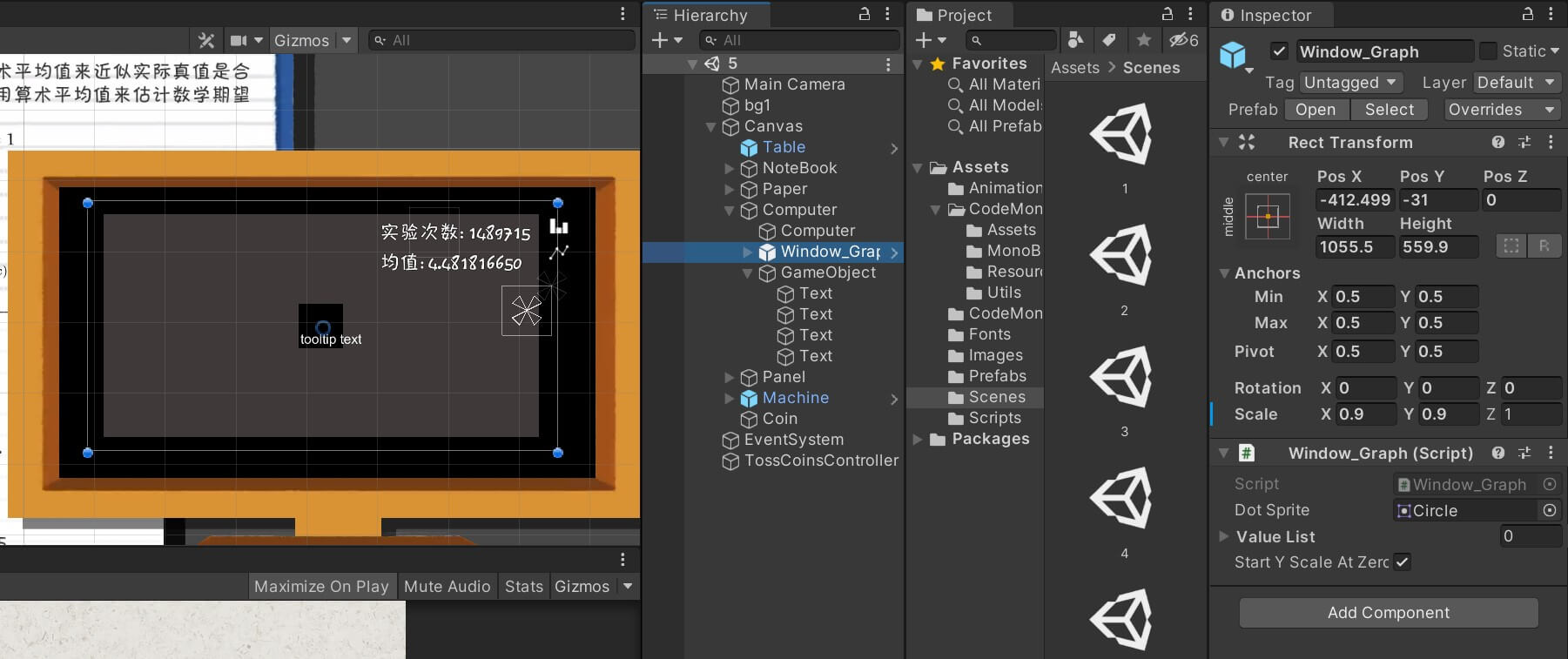
从 Create a Graph - Unity Tutorial - YouTube 整的一份 Unity 下画曲线图和柱状图的东东。
using System;
using System.Collections;
using System.Collections.Generic;
using UnityEngine;
using UnityEngine.UI;
using CodeMonkey.Utils;

public class Window_Graph : MonoBehaviour {

    public static Window_Graph instance;

    [SerializeField] private Sprite dotSprite;
    private RectTransform graphContainer;
    private RectTransform labelTemplateX;
    private RectTransform labelTemplateY;
    private RectTransform dashContainer;
    private RectTransform dashTemplateX;
    private RectTransform dashTemplateY;
    private List<GameObject> gameObjectList;
    private List<IGraphVisualObject> graphVisualObjectList;
    private GameObject tooltipGameObject;
    private List<RectTransform> yLabelList;

    // Cached values
    public List<int> valueList;
    private IGraphVisual graphVisual;
    private int maxVisibleValueAmount;
    private Func<int, string> getAxisLabelX;
    private Func<float, string> getAxisLabelY;
    private float xSize;
    [SerializeField] private bool startYScaleAtZero = true;

    private void Awake() {
        instance = this;
        // Grab base objects references
        graphContainer = transform.Find("graphContainer").GetComponent<RectTransform>();
        labelTemplateX = graphContainer.Find("labelTemplateX").GetComponent<RectTransform>();
        labelTemplateY = graphContainer.Find("labelTemplateY").GetComponent<RectTransform>();
        dashContainer = graphContainer.Find("dashContainer").GetComponent<RectTransform>();
        dashTemplateX = dashContainer.Find("dashTemplateX").GetComponent<RectTransform>();
        dashTemplateY = dashContainer.Find("dashTemplateY").GetComponent<RectTransform>();
        tooltipGameObject = graphContainer.Find("tooltip").gameObject;

        gameObjectList = new List<GameObject>();
        yLabelList = new List<RectTransform>();
        graphVisualObjectList = new List<IGraphVisualObject>();

        IGraphVisual lineGraphVisual = new LineGraphVisual(graphContainer, dotSprite, Color.green, new Color(1, 1, 1, .5f));
        IGraphVisual barChartVisual = new BarChartVisual(graphContainer, Color.white, .8f);

        // Set up buttons
        transform.Find("barChartBtn").GetComponent<Button_UI>().ClickFunc = () => {
            SetGraphVisual(barChartVisual);
        };
        transform.Find("lineGraphBtn").GetComponent<Button_UI>().ClickFunc = () => {
            SetGraphVisual(lineGraphVisual);
        };

        HideTooltip();

        //// Set up base values
        List<int> valueList = new List<int>() { 0, 0, 0, 0, 0, 0, 0, 0, 0, 0, 0 };
        ShowGraph(valueList, barChartVisual, -1, (int _i) => "" + (_i), (float _f) => "" + Mathf.RoundToInt(_f));

    }

    public static void ShowTooltip_Static(string tooltipText, Vector2 anchoredPosition) {
        instance.ShowTooltip(tooltipText, anchoredPosition);
    }

    private void ShowTooltip(string tooltipText, Vector2 anchoredPosition) {
        // Show Tooltip GameObject
        tooltipGameObject.SetActive(true);

        tooltipGameObject.GetComponent<RectTransform>().anchoredPosition = anchoredPosition;

        Text tooltipUIText = tooltipGameObject.transform.Find("text").GetComponent<Text>();
        tooltipUIText.text = tooltipText;

        float textPaddingSize = 4f;
        Vector2 backgroundSize = new Vector2(
            tooltipUIText.preferredWidth + textPaddingSize * 2f,
            tooltipUIText.preferredHeight + textPaddingSize * 2f
        );

        tooltipGameObject.transform.Find("background").GetComponent<RectTransform>().sizeDelta = backgroundSize;

        // UI Visibility Sorting based on Hierarchy, SetAsLastSibling in order to show up on top
        tooltipGameObject.transform.SetAsLastSibling();
    }

    public static void HideTooltip_Static() {
        instance.HideTooltip();
    }

    private void HideTooltip() {
        tooltipGameObject.SetActive(false);
    }

    private void SetGetAxisLabelX(Func<int, string> getAxisLabelX) {
        ShowGraph(this.valueList, this.graphVisual, this.maxVisibleValueAmount, getAxisLabelX, this.getAxisLabelY);
    }

    private void SetGetAxisLabelY(Func<float, string> getAxisLabelY) {
        ShowGraph(this.valueList, this.graphVisual, this.maxVisibleValueAmount, this.getAxisLabelX, getAxisLabelY);
    }

    private void IncreaseVisibleAmount() {
        ShowGraph(this.valueList, this.graphVisual, this.maxVisibleValueAmount + 1, this.getAxisLabelX, this.getAxisLabelY);
    }

    private void DecreaseVisibleAmount() {
        ShowGraph(this.valueList, this.graphVisual, this.maxVisibleValueAmount - 1, this.getAxisLabelX, this.getAxisLabelY);
    }

    private void SetGraphVisual(IGraphVisual graphVisual) {
        ShowGraph(this.valueList, graphVisual, this.maxVisibleValueAmount, this.getAxisLabelX, this.getAxisLabelY);
    }

    private void ShowGraph(List<int> valueList, IGraphVisual graphVisual, int maxVisibleValueAmount = -1, Func<int, string> getAxisLabelX = null, Func<float, string> getAxisLabelY = null) {
        this.valueList = valueList;
        this.graphVisual = graphVisual;
        this.getAxisLabelX = getAxisLabelX;
        this.getAxisLabelY = getAxisLabelY;

        if (maxVisibleValueAmount <= 0) {
            // Show all if no amount specified
            maxVisibleValueAmount = valueList.Count;
        }
        if (maxVisibleValueAmount > valueList.Count) {
            // Validate the amount to show the maximum
            maxVisibleValueAmount = valueList.Count;
        }

        this.maxVisibleValueAmount = maxVisibleValueAmount;

        // Test for label defaults
        if (getAxisLabelX == null) {
            getAxisLabelX = delegate (int _i) { return _i.ToString(); };
        }
        if (getAxisLabelY == null) {
            getAxisLabelY = delegate (float _f) { return Mathf.RoundToInt(_f).ToString(); };
        }

        // Clean up previous graph
        foreach (GameObject gameObject in gameObjectList) {
            Destroy(gameObject);
        }
        gameObjectList.Clear();
        yLabelList.Clear();

        foreach (IGraphVisualObject graphVisualObject in graphVisualObjectList) {
            graphVisualObject.CleanUp();
        }
        graphVisualObjectList.Clear();

        graphVisual.CleanUp();

        // Grab the width and height from the container
        float graphWidth = graphContainer.sizeDelta.x;
        float graphHeight = graphContainer.sizeDelta.y;

        float yMinimum, yMaximum;
        CalculateYScale(out yMinimum, out yMaximum);

        // Set the distance between each point on the graph
        xSize = graphWidth / (maxVisibleValueAmount + 1);

        // Cycle through all visible data points
        int xIndex = 0;
        for (int i = Mathf.Max(valueList.Count - maxVisibleValueAmount, 0); i < valueList.Count; i++) {
            float xPosition = xSize + xIndex * xSize;
            float yPosition = ((valueList[i] - yMinimum) / (yMaximum - yMinimum)) * graphHeight;

            // Add data point visual
            string tooltipText = getAxisLabelY(valueList[i]);
            IGraphVisualObject graphVisualObject = graphVisual.CreateGraphVisualObject(new Vector2(xPosition, yPosition), xSize, tooltipText);
            graphVisualObjectList.Add(graphVisualObject);

            // Duplicate the x label template
            RectTransform labelX = Instantiate(labelTemplateX);
            labelX.SetParent(graphContainer, false);
            labelX.gameObject.SetActive(true);
            labelX.anchoredPosition = new Vector2(xPosition, -7f);
            labelX.GetComponent<Text>().text = getAxisLabelX(i);
            gameObjectList.Add(labelX.gameObject);

            // Duplicate the x dash template
            RectTransform dashX = Instantiate(dashTemplateX);
            dashX.SetParent(dashContainer, false);
            dashX.gameObject.SetActive(true);
            dashX.anchoredPosition = new Vector2(xPosition, -3f);
            gameObjectList.Add(dashX.gameObject);

            xIndex++;
        }

        // Set up separators on the y axis
        int separatorCount = 10;
        for (int i = 0; i <= separatorCount; i++) {
            // Duplicate the label template
            RectTransform labelY = Instantiate(labelTemplateY);
            labelY.SetParent(graphContainer, false);
            labelY.gameObject.SetActive(true);
            float normalizedValue = i * 1f / separatorCount;
            labelY.anchoredPosition = new Vector2(-7f, normalizedValue * graphHeight);
            labelY.GetComponent<Text>().text = getAxisLabelY(yMinimum + (normalizedValue * (yMaximum - yMinimum)));
            yLabelList.Add(labelY);
            gameObjectList.Add(labelY.gameObject);

            // Duplicate the dash template
            RectTransform dashY = Instantiate(dashTemplateY);
            dashY.SetParent(dashContainer, false);
            dashY.gameObject.SetActive(true);
            dashY.anchoredPosition = new Vector2(-4f, normalizedValue * graphHeight);
            gameObjectList.Add(dashY.gameObject);
        }
    }

    public void UpdateValue(int index, int value) {
        float yMinimumBefore, yMaximumBefore;
        CalculateYScale(out yMinimumBefore, out yMaximumBefore);

        valueList[index] = value;

        float graphWidth = graphContainer.sizeDelta.x;
        float graphHeight = graphContainer.sizeDelta.y;

        float yMinimum, yMaximum;
        CalculateYScale(out yMinimum, out yMaximum);

        bool yScaleChanged = yMinimumBefore != yMinimum || yMaximumBefore != yMaximum;

        if (!yScaleChanged) {
            // Y Scale did not change, update only this value
            float xPosition = xSize + index * xSize;
            float yPosition = ((value - yMinimum) / (yMaximum - yMinimum)) * graphHeight;

            // Add data point visual
            string tooltipText = getAxisLabelY(value);
            graphVisualObjectList[index].SetGraphVisualObjectInfo(new Vector2(xPosition, yPosition), xSize, tooltipText);
        } else {
            // Y scale changed, update whole graph and y axis labels
            // Cycle through all visible data points
            int xIndex = 0;
            for (int i = Mathf.Max(valueList.Count - maxVisibleValueAmount, 0); i < valueList.Count; i++) {
                float xPosition = xSize + xIndex * xSize;
                float yPosition = ((valueList[i] - yMinimum) / (yMaximum - yMinimum)) * graphHeight;

                // Add data point visual
                string tooltipText = getAxisLabelY(valueList[i]);
                graphVisualObjectList[xIndex].SetGraphVisualObjectInfo(new Vector2(xPosition, yPosition), xSize, tooltipText);

                xIndex++;
            }

            for (int i = 0; i < yLabelList.Count; i++) {
                float normalizedValue = i * 1f / yLabelList.Count;
                yLabelList[i].GetComponent<Text>().text = getAxisLabelY(yMinimum + (normalizedValue * (yMaximum - yMinimum)));
            }
        }
    }

    private void CalculateYScale(out float yMinimum, out float yMaximum) {
        // Identify y Min and Max values
        yMaximum = valueList[0];
        yMinimum = valueList[0];

        for (int i = Mathf.Max(valueList.Count - maxVisibleValueAmount, 0); i < valueList.Count; i++) {
            int value = valueList[i];
            if (value > yMaximum) {
                yMaximum = value;
            }
            if (value < yMinimum) {
                yMinimum = value;
            }
        }

        float yDifference = yMaximum - yMinimum;
        if (yDifference <= 0) {
            yDifference = 5f;
        }
        yMaximum = yMaximum + (yDifference * 0.2f);
        yMinimum = yMinimum - (yDifference * 0.2f);

        if (startYScaleAtZero) {
            yMinimum = 0f; // Start the graph at zero
        }
    }

    /*
     * Interface definition for showing visual for a data point
     * */
    private interface IGraphVisual {

        IGraphVisualObject CreateGraphVisualObject(Vector2graphPosition, float graphPositionWidth, string tooltipText);
        void CleanUp();

    }

    /*
     * Represents a single Visual Object in the graph
     * */
    private interface IGraphVisualObject {

        void SetGraphVisualObjectInfo(Vector2graphPosition, float graphPositionWidth, string tooltipText);
        void CleanUp();

    }

    /*
     * Displays data points as a Bar Chart
     * */
    private class BarChartVisual : IGraphVisual {

        private RectTransform graphContainer;
        private Color barColor;
        private float barWidthMultiplier;

        public BarChartVisual(RectTransform graphContainer, Color barColor, float barWidthMultiplier) {
            this.graphContainer = graphContainer;
            this.barColor = barColor;
            this.barWidthMultiplier = barWidthMultiplier;
        }

        public void CleanUp() {
        }

        public IGraphVisualObject CreateGraphVisualObject(Vector2graphPosition, float graphPositionWidth, string tooltipText) {
            GameObject barGameObject = CreateBar(graphPosition, graphPositionWidth);

            BarChartVisualObject barChartVisualObject = new BarChartVisualObject(barGameObject, barWidthMultiplier);
            barChartVisualObject.SetGraphVisualObjectInfo(graphPosition, graphPositionWidth, tooltipText);

            return barChartVisualObject;
        }

        private GameObject CreateBar(Vector2graphPosition, float barWidth) {
            GameObject gameObject = new GameObject("bar", typeof(Image));
            gameObject.transform.SetParent(graphContainer, false);
            gameObject.GetComponent<Image>().color = barColor;
            RectTransform rectTransform = gameObject.GetComponent<RectTransform>();
            rectTransform.anchoredPosition = new Vector2(graphPosition.x, 0f);
            rectTransform.sizeDelta = new Vector2(barWidth * barWidthMultiplier, graphPosition.y);
            rectTransform.anchorMin = new Vector2(0, 0);
            rectTransform.anchorMax = new Vector2(0, 0);
            rectTransform.pivot = new Vector2(.5f, 0f);

            // Add Button_UI Component which captures UI Mouse Events
            Button_UI barButtonUI = gameObject.AddComponent<Button_UI>();

            return gameObject;
        }

        public class BarChartVisualObject : IGraphVisualObject {

            private GameObject barGameObject;
            private float barWidthMultiplier;

            public BarChartVisualObject(GameObject barGameObject, float barWidthMultiplier) {
                this.barGameObject = barGameObject;
                this.barWidthMultiplier = barWidthMultiplier;
            }

            public void SetGraphVisualObjectInfo(Vector2graphPosition, float graphPositionWidth, string tooltipText) {
                RectTransform rectTransform = barGameObject.GetComponent<RectTransform>();
                rectTransform.anchoredPosition = new Vector2(graphPosition.x, 0f);
                rectTransform.sizeDelta = new Vector2(graphPositionWidth * barWidthMultiplier, graphPosition.y);

                Button_UI barButtonUI = barGameObject.GetComponent<Button_UI>();

                // Show Tooltip on Mouse Over
                barButtonUI.MouseOverOnceFunc = () => {
                    ShowTooltip_Static(tooltipText, graphPosition);
                };

                // Hide Tooltip on Mouse Out
                barButtonUI.MouseOutOnceFunc = () => {
                    HideTooltip_Static();
                };
            }

            public void CleanUp() {
                Destroy(barGameObject);
            }
        }
    }

    /*
     * Displays data points as a Line Graph
     * */
    private class LineGraphVisual : IGraphVisual {

        private RectTransform graphContainer;
        private Sprite dotSprite;
        private LineGraphVisualObject lastLineGraphVisualObject;
        private Color dotColor;
        private Color dotConnectionColor;

        public LineGraphVisual(RectTransform graphContainer, Sprite dotSprite, Color dotColor, Color dotConnectionColor) {
            this.graphContainer = graphContainer;
            this.dotSprite = dotSprite;
            this.dotColor = dotColor;
            this.dotConnectionColor = dotConnectionColor;
            lastLineGraphVisualObject = null;
        }

        public void CleanUp() {
            lastLineGraphVisualObject = null;
        }


        public IGraphVisualObject CreateGraphVisualObject(Vector2graphPosition, float graphPositionWidth, string tooltipText) {
            GameObject dotGameObject = CreateDot(graphPosition);


            GameObject dotConnectionGameObject = null;
            if (lastLineGraphVisualObject != null) {
                dotConnectionGameObject = CreateDotConnection(lastLineGraphVisualObject.GetGraphPosition(), dotGameObject.GetComponent<RectTransform>().anchoredPosition);
            }

            LineGraphVisualObject lineGraphVisualObject = new LineGraphVisualObject(dotGameObject, dotConnectionGameObject, lastLineGraphVisualObject);
            lineGraphVisualObject.SetGraphVisualObjectInfo(graphPosition, graphPositionWidth, tooltipText);

            lastLineGraphVisualObject = lineGraphVisualObject;

            return lineGraphVisualObject;
        }

        private GameObject CreateDot(Vector2 anchoredPosition) {
            GameObject gameObject = new GameObject("dot", typeof(Image));
            gameObject.transform.SetParent(graphContainer, false);
            gameObject.GetComponent<Image>().sprite = dotSprite;
            gameObject.GetComponent<Image>().color = dotColor;
            RectTransform rectTransform = gameObject.GetComponent<RectTransform>();
            rectTransform.anchoredPosition = anchoredPosition;
            rectTransform.sizeDelta = new Vector2(11, 11);
            rectTransform.anchorMin = new Vector2(0, 0);
            rectTransform.anchorMax = new Vector2(0, 0);

            // Add Button_UI Component which captures UI Mouse Events
            Button_UI dotButtonUI = gameObject.AddComponent<Button_UI>();

            return gameObject;
        }

        private GameObject CreateDotConnection(Vector2 dotPositionA, Vector2 dotPositionB) {
            GameObject gameObject = new GameObject("dotConnection", typeof(Image));
            gameObject.transform.SetParent(graphContainer, false);
            gameObject.GetComponent<Image>().color = dotConnectionColor;
            gameObject.GetComponent<Image>().raycastTarget = false;
            RectTransform rectTransform = gameObject.GetComponent<RectTransform>();
            Vector2 dir = (dotPositionB - dotPositionA).normalized;
            float distance = Vector2.Distance(dotPositionA, dotPositionB);
            rectTransform.anchorMin = new Vector2(0, 0);
            rectTransform.anchorMax = new Vector2(0, 0);
            rectTransform.sizeDelta = new Vector2(distance, 3f);
            rectTransform.anchoredPosition = dotPositionA + dir * distance * .5f;
            rectTransform.localEulerAngles = new Vector3(0, 0, UtilsClass.GetAngleFromVectorFloat(dir));
            return gameObject;
        }


        public class LineGraphVisualObject : IGraphVisualObject {

            public event EventHandler OnChangedGraphVisualObjectInfo;

            private GameObject dotGameObject;
            private GameObject dotConnectionGameObject;
            private LineGraphVisualObject lastVisualObject;

            public LineGraphVisualObject(GameObject dotGameObject, GameObject dotConnectionGameObject, LineGraphVisualObject lastVisualObject) {
                this.dotGameObject = dotGameObject;
                this.dotConnectionGameObject = dotConnectionGameObject;
                this.lastVisualObject = lastVisualObject;

                if (lastVisualObject != null) {
                    lastVisualObject.OnChangedGraphVisualObjectInfo += LastVisualObject_OnChangedGraphVisualObjectInfo;
                }
            }

            private void LastVisualObject_OnChangedGraphVisualObjectInfo(object sender, EventArgs e) {
                UpdateDotConnection();
            }

            public void SetGraphVisualObjectInfo(Vector2graphPosition, float graphPositionWidth, string tooltipText) {
                RectTransform rectTransform = dotGameObject.GetComponent<RectTransform>();
                rectTransform.anchoredPosition = graphPosition;

                UpdateDotConnection();

                Button_UI dotButtonUI = dotGameObject.GetComponent<Button_UI>();

                // Show Tooltip on Mouse Over
                dotButtonUI.MouseOverOnceFunc = () => {
                    ShowTooltip_Static(tooltipText, graphPosition);
                };

                // Hide Tooltip on Mouse Out
                dotButtonUI.MouseOutOnceFunc = () => {
                    HideTooltip_Static();
                };

                if (OnChangedGraphVisualObjectInfo != null) OnChangedGraphVisualObjectInfo(this, EventArgs.Empty);
            }

            public void CleanUp() {
                Destroy(dotGameObject);
                Destroy(dotConnectionGameObject);
            }

            public Vector2 GetGraphPosition() {
                RectTransform rectTransform = dotGameObject.GetComponent<RectTransform>();
                return rectTransform.anchoredPosition;
            }

            private void UpdateDotConnection() {
                if (dotConnectionGameObject != null) {
                    RectTransform dotConnectionRectTransform = dotConnectionGameObject.GetComponent<RectTransform>();
                    Vector2 dir = (lastVisualObject.GetGraphPosition() - GetGraphPosition()).normalized;
                    float distance = Vector2.Distance(GetGraphPosition(), lastVisualObject.GetGraphPosition());
                    dotConnectionRectTransform.sizeDelta = new Vector2(distance, 3f);
                    dotConnectionRectTransform.anchoredPosition = GetGraphPosition() + dir * distance * .5f;
                    dotConnectionRectTransform.localEulerAngles = new Vector3(0, 0, UtilsClass.GetAngleFromVectorFloat(dir));
                }
            }
        }
    }
}
6
A* 算法
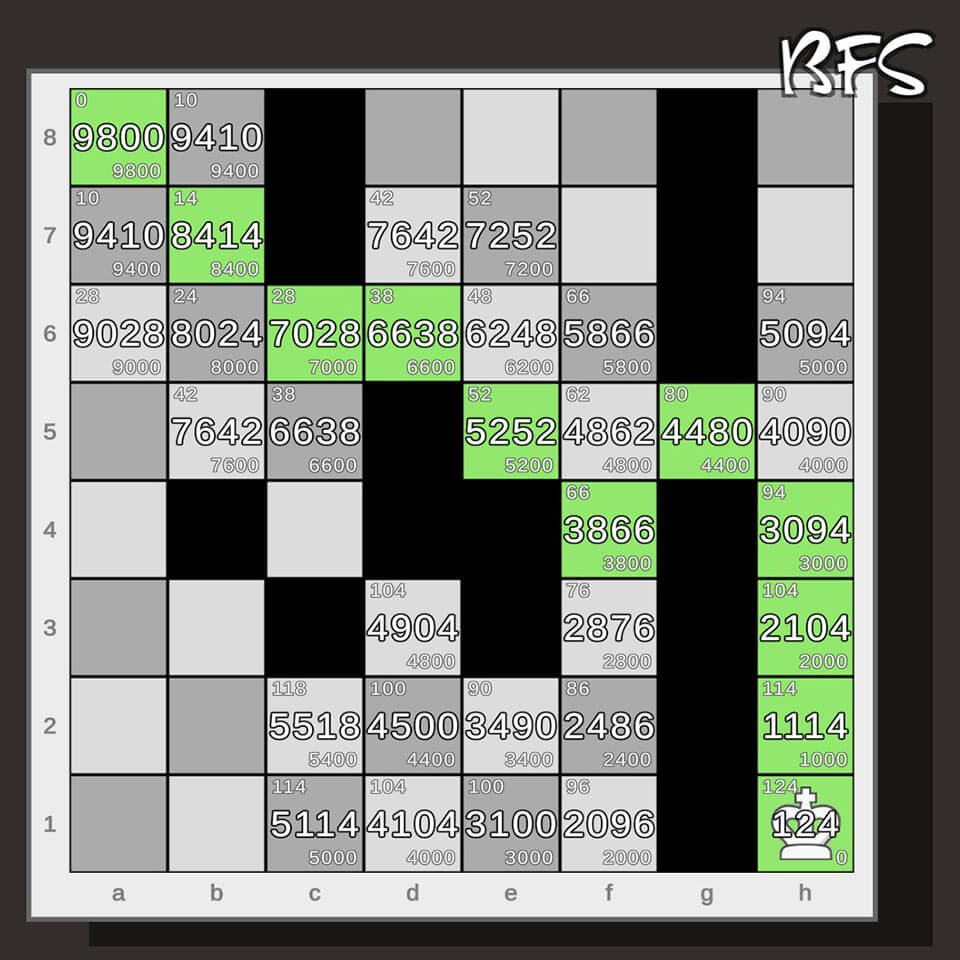
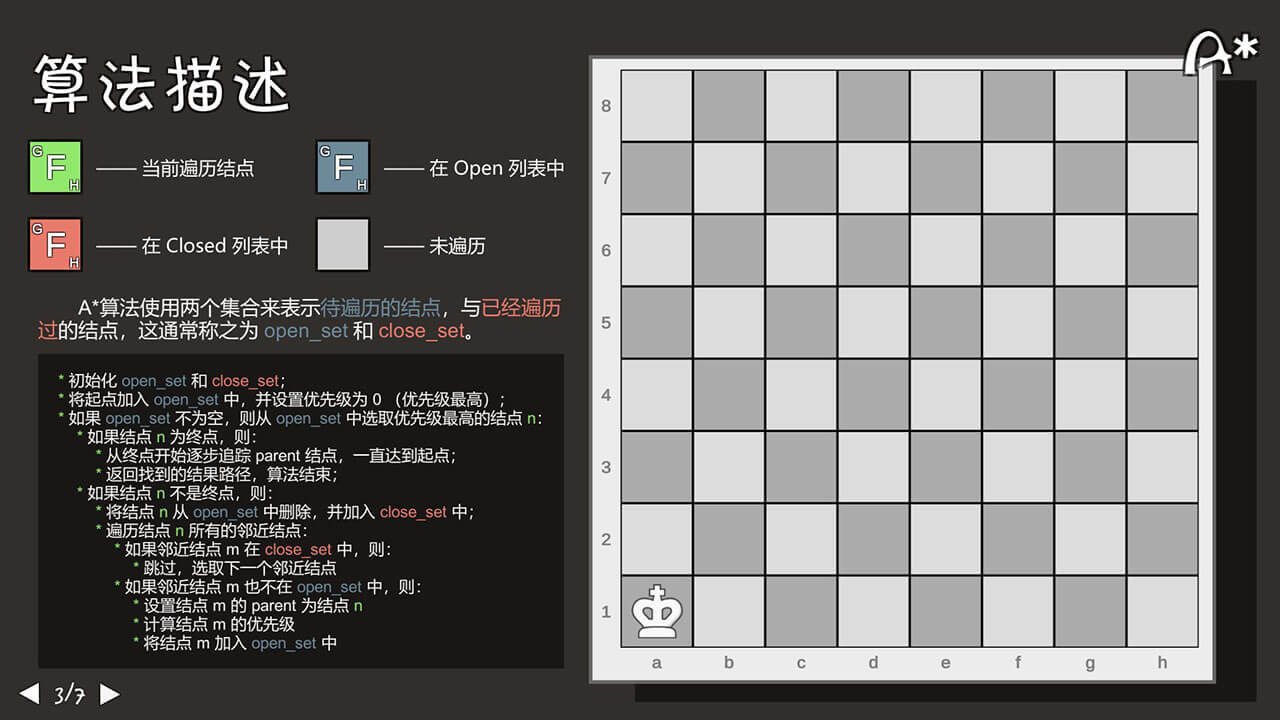
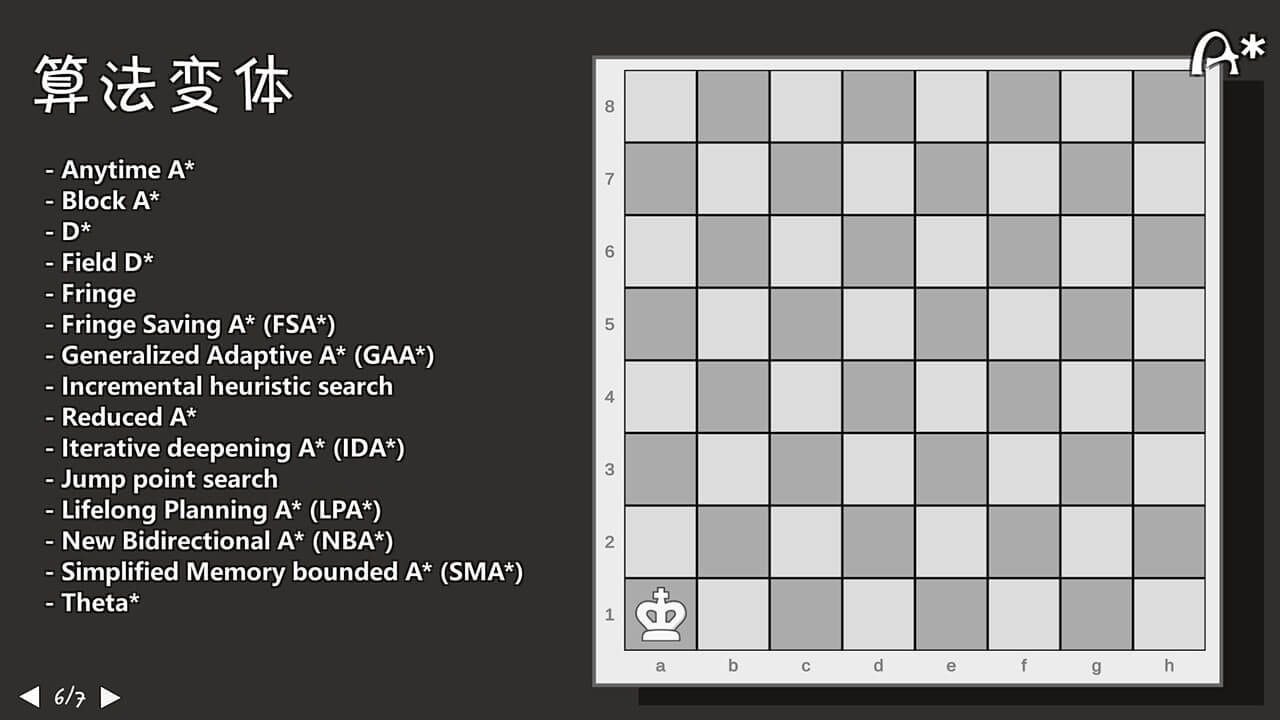
这玩意当时还写了博客:Unity-Unity中的网格系统及AStar算法
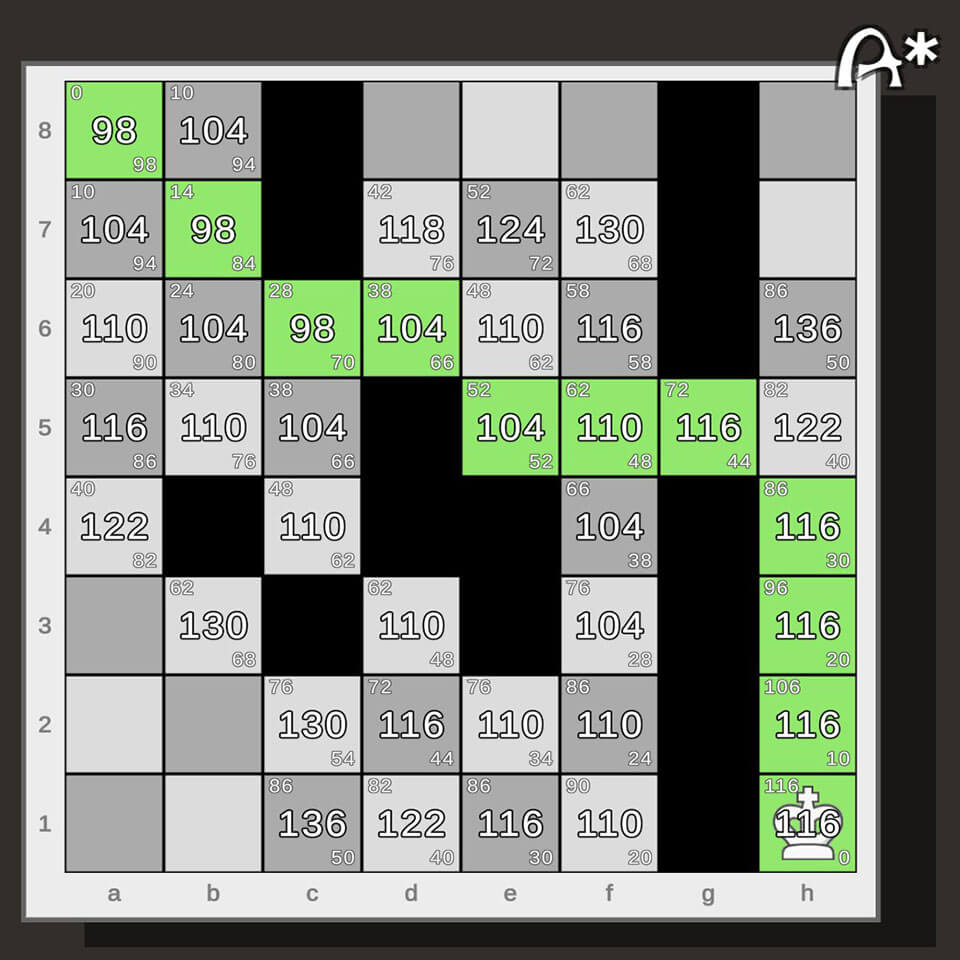
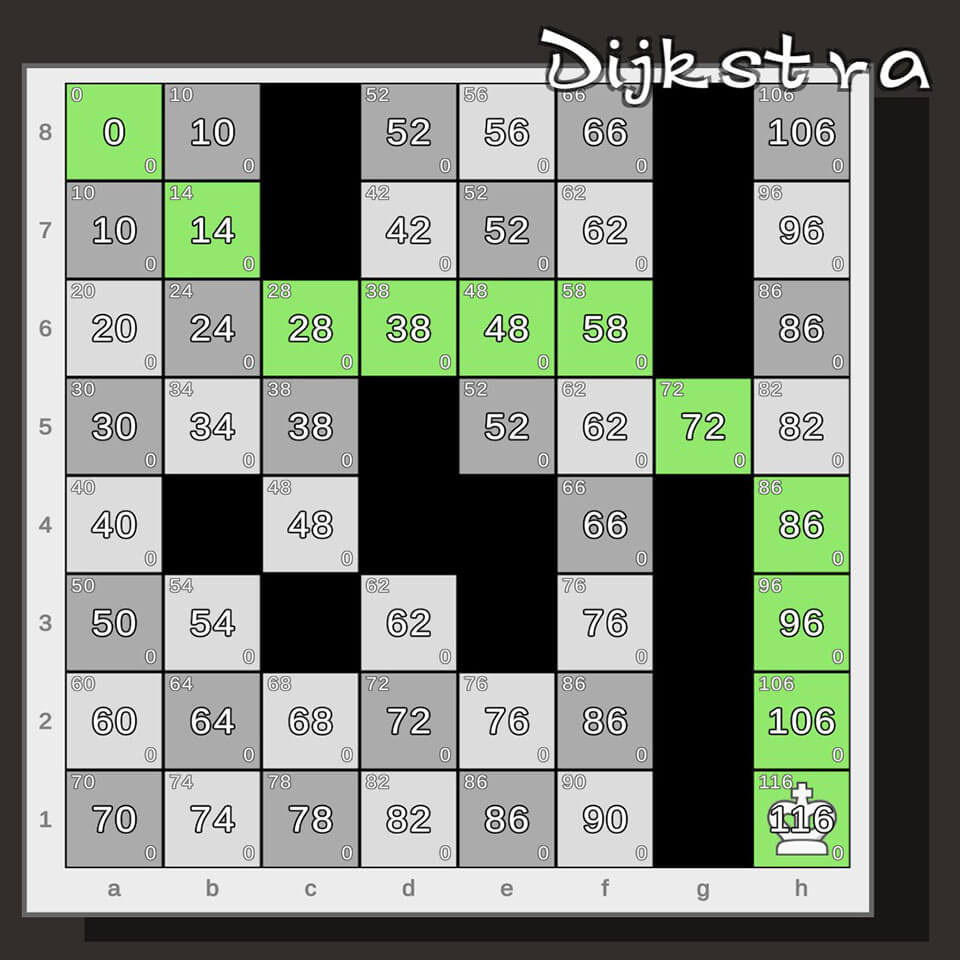
布局
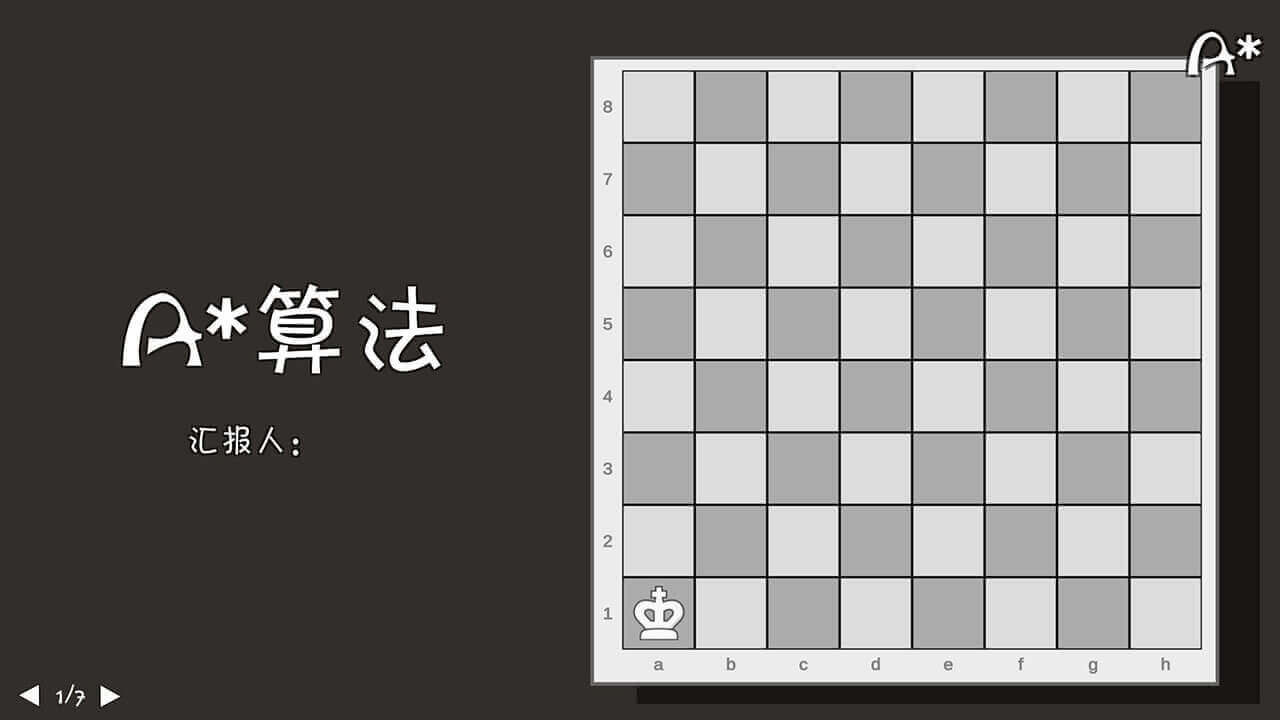
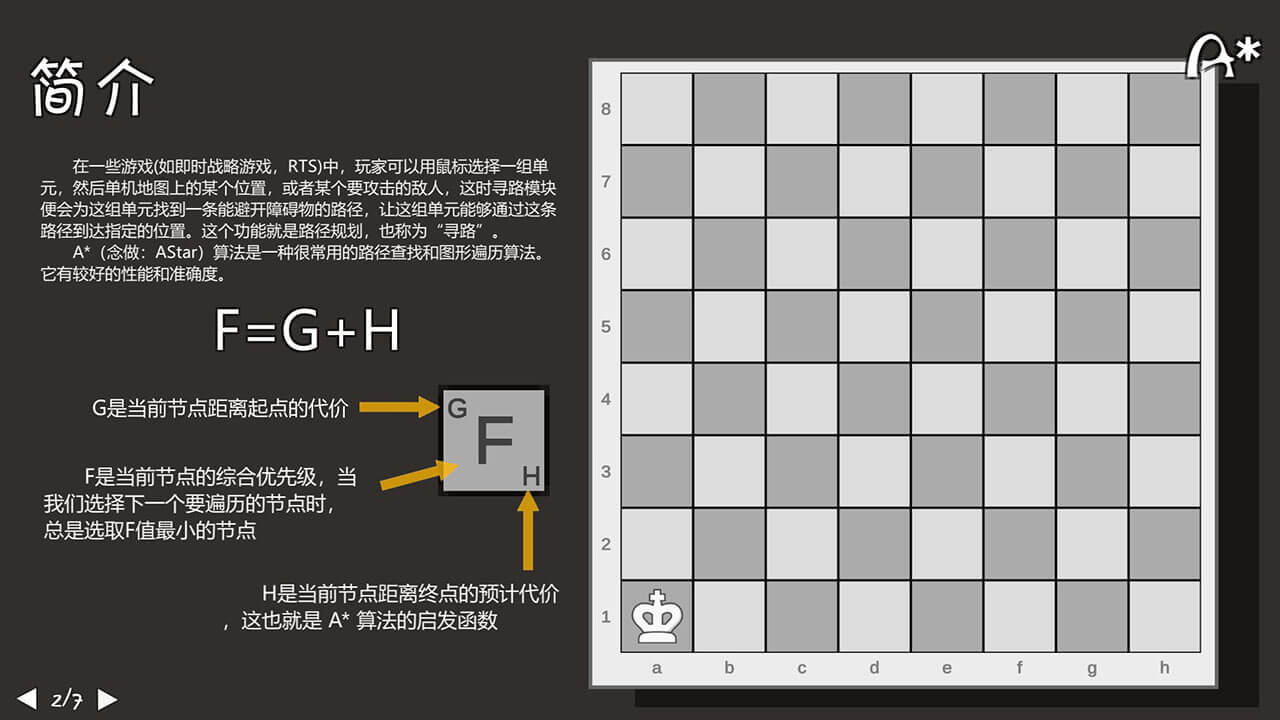
从 主页 - Chess.com 抄的素材和配色。其实这个 PPT 没有上去讲,就当练手了。
背景颜色是 #312E2B。
场景逻辑
随便整了 Test 类控制所有逻辑,咱就是一个敏捷开发。
- 切换场景,只有一个场景,一个
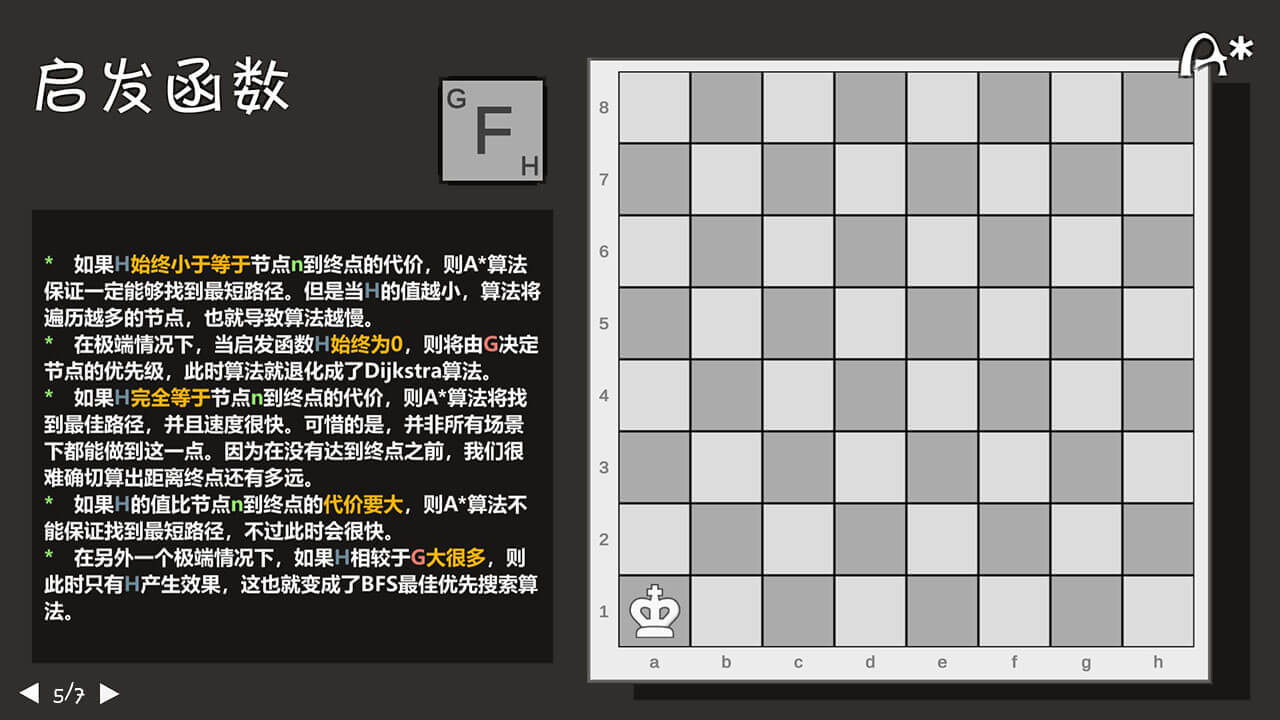
Prefab表示一页 PPT。不仅用鼠标,键盘 A 和 D 也可翻页。 - 可以使用三种算法:
- Dijkstra
- A*
- BFS
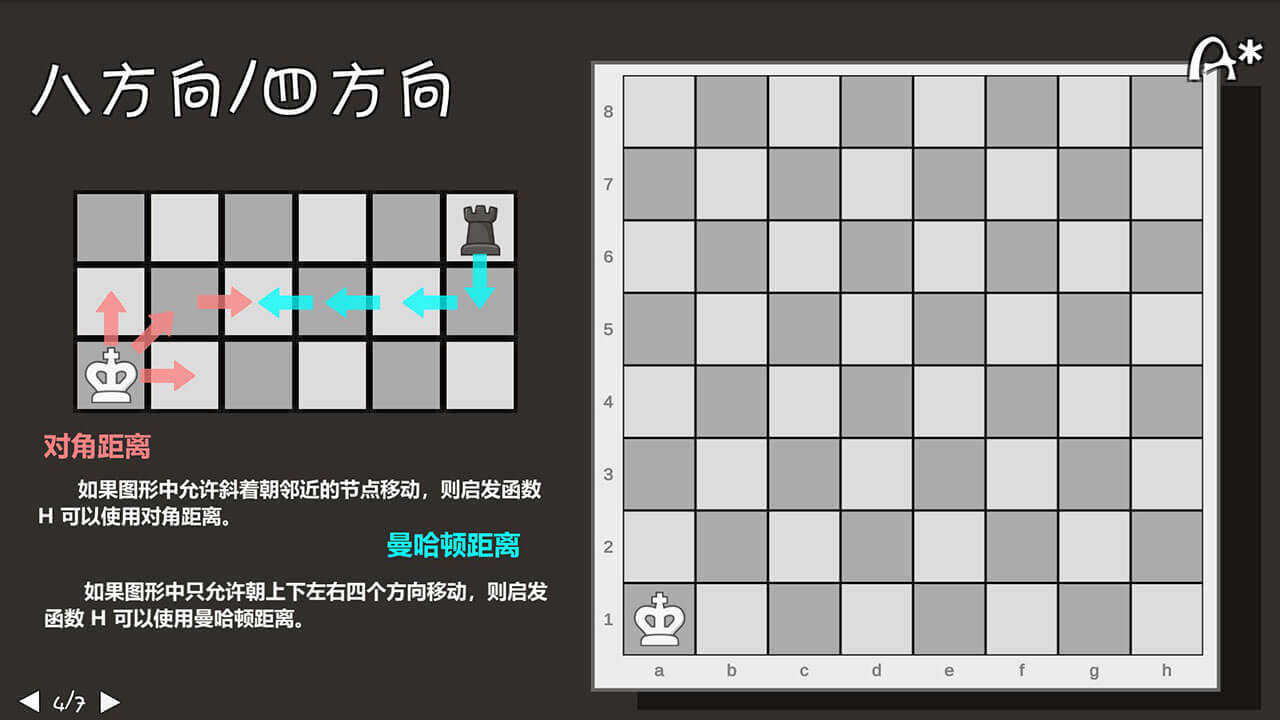
- 两种棋子代表:8 方向和 4 方向。Z 键切换。
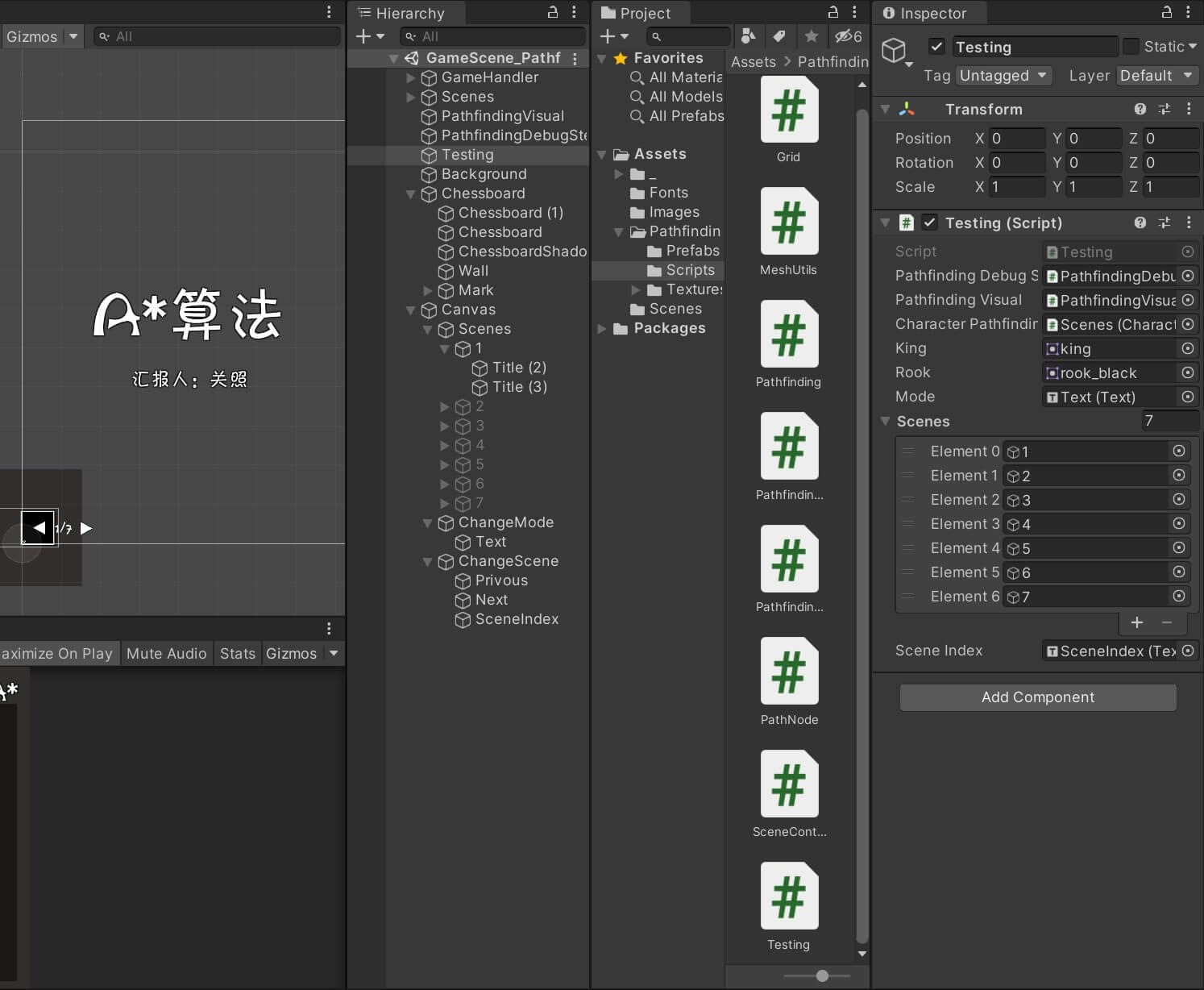
using System.Collections;
using System.Collections.Generic;
using UnityEngine;
using CodeMonkey.Utils;
using CodeMonkey;
using UnityEngine.UI;

public class Testing : MonoBehaviour {
    [SerializeField] private PathfindingDebugStepVisual pathfindingDebugStepVisual;  // 算法可视化(分步走)
    [SerializeField] private PathfindingVisual pathfindingVisual;  // 显示界面
    [SerializeField] private CharacterPathfindingMovementHandler characterPathfinding;  // 角色行走

    [SerializeField] private Sprite King;
    [SerializeField] private Sprite Rook;
    [SerializeField] private Text mode;
    private Pathfinding pathfinding;
    [SerializeField] private List<GameObject> scenes;
    [SerializeField] private Text sceneIndex;
    private int currentScene = 0;

    private void Start() {
        pathfinding = new Pathfinding(8, 8, true);
        pathfindingDebugStepVisual.Setup(pathfinding.GetGrid());
        pathfindingVisual.SetGrid(pathfinding.GetGrid());
    }

    private void Update() {
        if (Input.GetMouseButtonDown(0)) {
            Vector3mouseWorldPosition = UtilsClass.GetMouseWorldPosition();
            pathfinding.GetGrid().GetXY(mouseWorldPosition, out int x, out int y);
            List<PathNode> path = pathfinding.FindPath(0, 0, x, y);
            if (path != null) {
                for (int i=0; i<path.Count - 1; i++) {
                    Debug.DrawLine(new Vector3(path[i].x, path[i].y) * 10f + Vector3.one * 5f, new Vector3(path[i+1].x, path[i+1].y) * 10f + Vector3.one * 5f, Color.green, 5f);
                }
            }
            characterPathfinding.SetTargetPosition(mouseWorldPosition);
        }

        if (Input.GetMouseButtonDown(1)) {
            Vector3mouseWorldPosition = UtilsClass.GetMouseWorldPosition();
            pathfinding.GetGrid().GetXY(mouseWorldPosition, out int x, out int y);
            if(x >= 0 && y >= 0 && x < 8 && y < 8)
                pathfinding.GetNode(x, y).SetIsWalkable(!pathfinding.GetNode(x, y).isWalkable);
        }

        if(Input.GetKeyDown(KeyCode.Z))
        {
            pathfinding._8directions = !pathfinding._8directions;
            characterPathfinding.transform.Find("Chessman").GetComponent<SpriteRenderer>().sprite = pathfinding._8directions ? King : Rook;
        }
        if(Input.GetKeyDown(KeyCode.LeftArrow) || Input.GetKeyDown(KeyCode.A))
        {
            privousScene();
        }
        if (Input.GetKeyDown(KeyCode.RightArrow) || Input.GetKeyDown(KeyCode.D))
        {
            nextScene();
        }
    }
    public void changeMode()
    {
        if(pathfinding.mode == 1)
        {
            Debug.Log("changeMode()" + pathfinding.mode);
            mode.text = "Dijkstra";
        }
        if (pathfinding.mode == 2)
        {
            Debug.Log("changeMode()" + pathfinding.mode);
            mode.text = "BFS";
        }
        if (pathfinding.mode == 3)
        {
            Debug.Log("changeMode()" + pathfinding.mode);
            mode.text = "A*";
        }
        pathfinding.mode = pathfinding.mode % 3 + 1;
    }

    public void privousScene()
    {
        if (currentScene == 0)
            currentScene = scenes.Count - 1;
        else
            currentScene -= 1;
        sceneIndex.text = (currentScene + 1) + "/" + scenes.Count;
        for (int i = 0; i < scenes.Count; i++)
        {
            scenes[i].SetActive(i == currentScene);
        }
    }
    public void nextScene()
    {
        currentScene = (currentScene + 1) % scenes.Count;
        sceneIndex.text = (currentScene + 1) + "/" + scenes.Count;
        for (int i = 0; i < scenes.Count; i++)
        {
            scenes[i].SetActive(i == currentScene);
        }
    }
}
网格系统
从 Grid System in Unity (How to make it and where to use it) - YouTube 抄的网格系统以及寻路算法。
1
2
3
4
5
6
7
模糊聚类分析法
老田不想上课让我们上去讲,我上去讲一讲练练手。
这个时候已经有 ChatGPT 了,确实很提高效率,但是要讲的东西太复杂了,写了整整两天 orz。
场景逻辑
同样的场景切换逻辑,只有一个 Scene,一个 Prefab 代表一页 PPT。
修改了鼠标指针。
使用 Dotween 设计了场景切换的动画效果,但是好像路子有点野,有空再学吧!
using DG.Tweening;
using System.Collections;
using System.Collections.Generic;
using UnityEngine;
using UnityEngine.UI;

public class SceneController : MonoBehaviour
{
    [SerializeField] private Text indexText;
    [SerializeField] private GameObject scenes;
    private int index = 0;
    private int index_old = 1;

    private GameObject oldScene;
    private GameObject newScene;
    private float timer = 0f;
    private bool changing = false;
    private bool isLeft = false;

    public Texture2D cursorTexture;

    public void OnLeftButton()
    {
        if (changing) return;
        index--;
        if (index == 0)
        {
            index = 7;
        }
        UpdateScene();
    }
    public void OnRightButton()
    {
        if (changing) return;
        index++;
        if (index == 8)
        {
            index = 1;
        }
        UpdateScene();
    }
    private void UpdateScene()
    {
        indexText.text = index + "/7";
        for (int i = 0; i < 7; i++)
        {
            Debug.Log(scenes.transform.GetChild(i).name + "," + index.ToString());
            if (scenes.transform.GetChild(i).name == index.ToString())
            {
                newScene = scenes.transform.GetChild(i).gameObject;
            }
            else if (scenes.transform.GetChild(i).name == index_old.ToString())
            {
                oldScene = scenes.transform.GetChild(i).gameObject;
            }
            else
            {
                scenes.transform.GetChild(i).gameObject.SetActive(false);
            }
        }
        if (index_old < index)
        {
            isLeft = true;
            newScene.transform.GetComponent<RectTransform>().anchoredPosition = new Vector3(1000, 0, 0);
        }
        else
        {
            isLeft = false;
            newScene.transform.GetComponent<RectTransform>().anchoredPosition = new Vector3(-1000, 0, 0);
        }
        newScene.SetActive(true);
        index_old = index;
        timer = 2f;
    }
    // Start is called before the first frame update
    void Start()
    {
        Cursor.SetCursor(cursorTexture, Vector2.zero, CursorMode.Auto);
        index = 1;
        indexText.text = index + "/7";
        oldScene = scenes.transform.Find("1").gameObject;
    }

    // Update is called once per frame
    void Update()
    {
        if (timer > 0)
        {
            timer -= Time.deltaTime;
            if(isLeft) {
                oldScene.transform.DOLocalMove(new Vector2(-1000, 0), 2f);
            }else
                oldScene.transform.DOLocalMove(new Vector2(1000, 0), 2f);
            newScene.transform.DOLocalMove(new Vector2(0, 0), 2f);
        }
    }
}
1

2
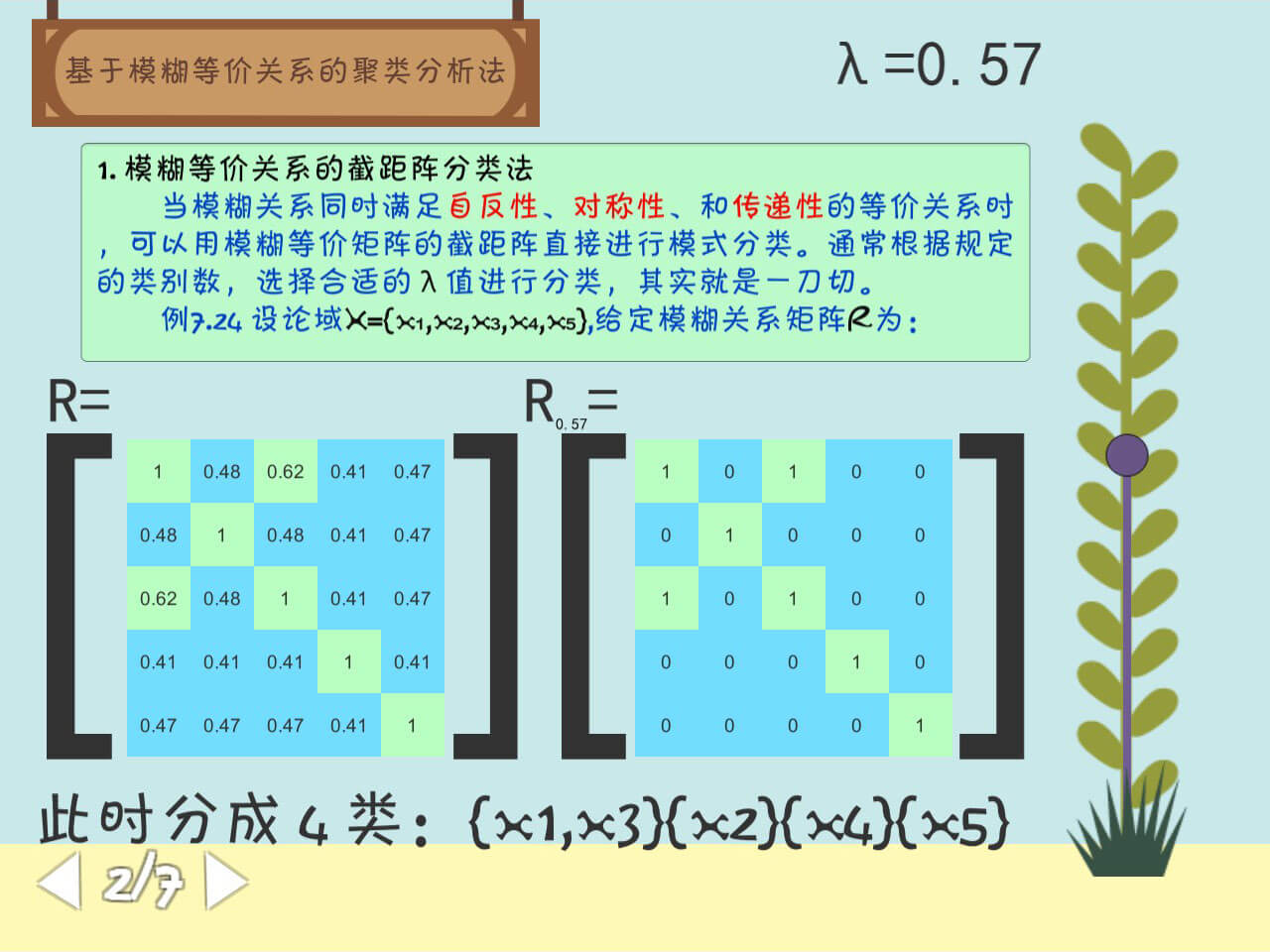
基于模糊等价等价关系的聚类分析法
代码复现以及前端效果,拖动 Slider 会改变 λ 的值,从而重新计算分类。
using Newtonsoft.Json.Linq;
using System;
using System.Collections;
using System.Collections.Generic;
using System.Linq;
using UnityEngine;
using UnityEngine.UI;

public class Scene2Controller : MonoBehaviour
{
    [SerializeField] private Slider slider;
    [SerializeField] private Text lambdaText;
    [SerializeField] private Text subText;
    [SerializeField] private GameObject Matrix1;
    [SerializeField] private GameObject Matrix2;
    [SerializeField] private Color colorSmaller;
    [SerializeField] private Color colorBigger;
    private double[,] R = new double[5, 5]{
                {1, 0.48, 0.62, 0.41, 0.47},
                {0.48, 1, 0.48, 0.41, 0.47},
                {0.62, 0.48, 1, 0.41, 0.47},
                {0.41, 0.41, 0.41, 1, 0.41},
                {0.47, 0.47, 0.47, 0.41, 1}
            };
    private int[,] R_lambda = new int[5, 5]{
                {1, 0, 0, 0, 0},
                {0, 1, 0, 0, 0},
                {0, 0, 1, 0, 0},
                {0, 0, 0, 1, 0},
                {0, 0, 0, 0, 1}
            };
    private double lambda;

    [SerializeField] private Text AnsText;
    Dictionary<string, List<int>> duplicateRows = new Dictionary<string, List<int>>();
    string rowString = "";
    string str = "";
    // Start is called before the first frame update
    void Start()
    {
        lambda = Math.Round(slider.value, 2);
        for (int i = 0; i < 25; i++)
        {
            Matrix1.transform.Find((i + 1).ToString()).Find("Text").GetComponent<Text>().text = R[i / 5, i % 5].ToString();
        }
        OnSliderValueChanged();
    }

    // Update is called once per frame
    void Update()
    {

    }
    public void OnSliderValueChanged()
    {
        // 更改数组
        lambda = Math.Round(slider.value, 2);
        lambdaText.text = "λ=" + lambda.ToString();
        subText.text = lambda.ToString();
        for (int i = 0; i < 25; i++)
        {
            if (R[i / 5, i % 5] < lambda)
            {
                R_lambda[i / 5, i % 5] = 0;
                Matrix1.transform.Find((i + 1).ToString()).GetComponent<Image>().color = colorSmaller;
                Matrix2.transform.Find((i + 1).ToString()).GetComponent<Image>().color = colorSmaller;
            }
            else
            {
                R_lambda[i / 5, i % 5] = 1;
                Matrix1.transform.Find((i + 1).ToString()).GetComponent<Image>().color = colorBigger;
                Matrix2.transform.Find((i + 1).ToString()).GetComponent<Image>().color = colorBigger;
            }
            Matrix2.transform.Find((i + 1).ToString()).Find("Text").GetComponent<Text>().text = R_lambda[i / 5, i % 5].ToString();
        }
        // 输出答案
        duplicateRows = new Dictionary<string, List<int>>();
        for (int i = 0; i < R_lambda.GetLength(0); i++)
        {
            rowString = "";
            for (int j = 0; j < R_lambda.GetLength(1); j++)
            {
                rowString += R_lambda[i, j].ToString() + ",";
            }
            if (duplicateRows.ContainsKey(rowString))
            {
                duplicateRows[rowString].Add(i);
            }
            else
            {
                duplicateRows.Add(rowString, new List<int> { i });
            }
        }

        str = "此时分成 " + duplicateRows.Count + " 类:";

        foreach (KeyValuePair<string, List<int>> kvp in duplicateRows)
        {
            str += "{";
            foreach (int row in kvp.Value)
            {
                str += "x" + (row + 1).ToString() + ",";
            }
            str = str.Remove(str.Length - 1);
            str += "}";
        }

        AnsText.text = str;
    }
}
3
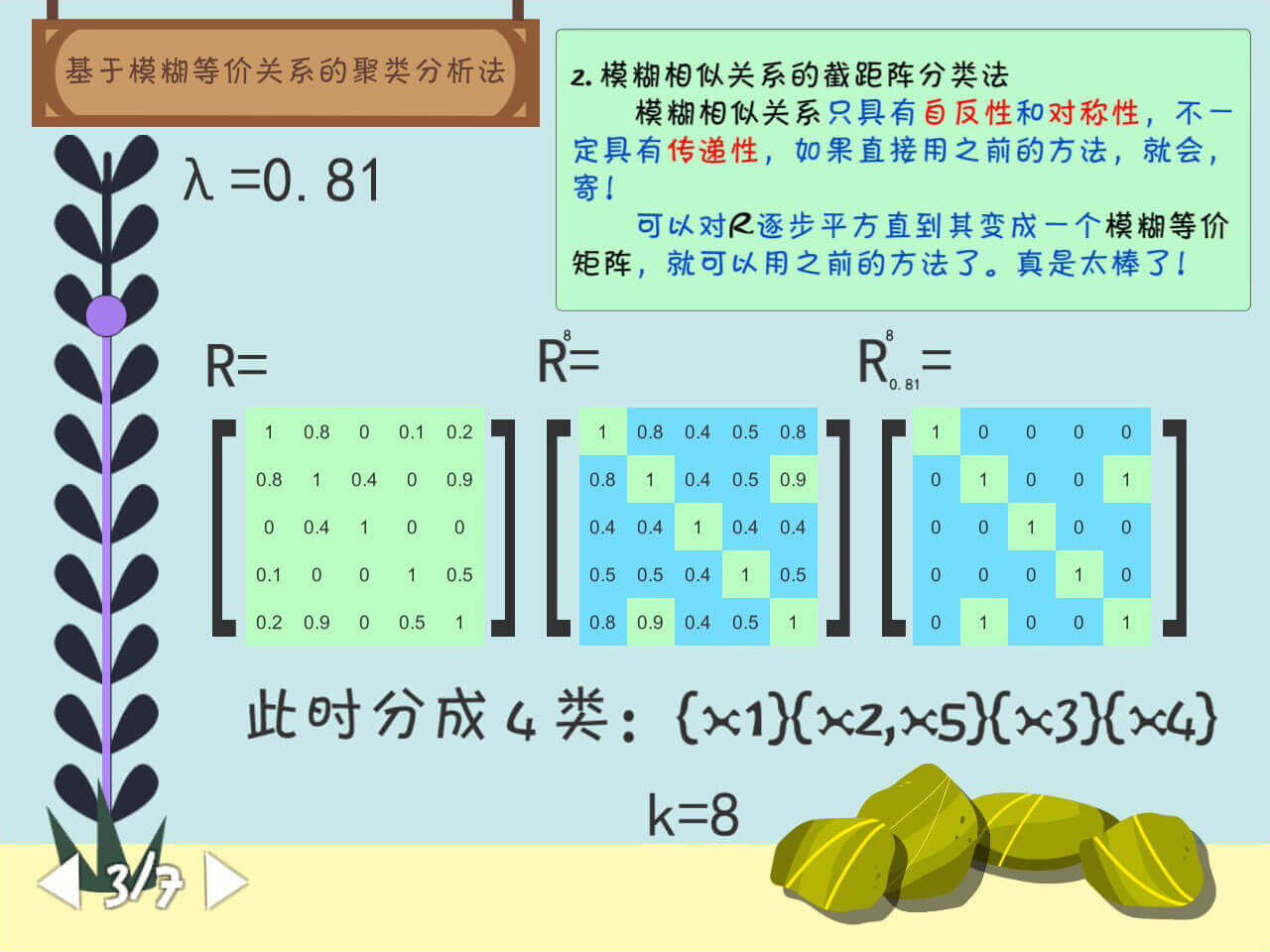
基于模糊相似关系的截距阵分类法
用 ChatGPT 抄了个 FuzzyMatrixMultiplication()。
点击石头可以改变 k 的值。
using System;
using System.Collections;
using System.Collections.Generic;
using UnityEngine;
using UnityEngine.UI;

public class Scene3Controller : MonoBehaviour
{
    [SerializeField] private Slider slider;
    [SerializeField] private Text lambdaText;
    [SerializeField] private Text subText;
    [SerializeField] private GameObject Matrix1;
    [SerializeField] private GameObject Matrix2;
    [SerializeField] private GameObject Matrix3;
    [SerializeField] private Color colorSmaller;
    [SerializeField] private Color colorBigger;
    private double[,] R = new double[5, 5]{
                {1, 0.8, 0, 0.1, 0.2},
                {0.8, 1, 0.4, 0, 0.9},
                {0, 0.4, 1, 0, 0},
                {0.1, 0, 0, 1, 0.5},
                {0.2, 0.9, 0, 0.5, 1}
            };
    private double[,] R_k = new double[5, 5]{
                {1, 0.8, 0, 0.1, 0.2},
                {0.8, 1, 0.4, 0, 0.9},
                {0, 0.4, 1, 0, 0},
                {0.1, 0, 0, 1, 0.5},
                {0.2, 0.9, 0, 0.5, 1}
            };
    private int[,] R_lambda = new int[5, 5]{
                {1, 0, 0, 0, 0},
                {0, 1, 0, 0, 0},
                {0, 0, 1, 0, 0},
                {0, 0, 0, 1, 0},
                {0, 0, 0, 0, 1}
            };
    private double lambda;

    private int k = 1;
    [SerializeField] private Text kText;
    [SerializeField] private GameObject Stones;
    [SerializeField] private Text supText;
    [SerializeField] private Text supText2;

    [SerializeField] private Text AnsText;
    Dictionary<string, List<int>> duplicateRows = new Dictionary<string, List<int>>();
    string rowString = "";
    string str = "";
    // Start is called before the first frame update
    void Start()
    {
        lambda = Math.Round(slider.value, 2);
        for (int i = 0; i < 25; i++)
        {
            Matrix1.transform.Find((i + 1).ToString()).Find("Text").GetComponent<Text>().text = R[i / 5, i % 5].ToString();
        }
        OnChangeK();
    }

    // Update is called once per frame
    void Update()
    {

    }
    public void OnChangeK()
    {
        k *= 2;
        if (k == 16) { k = 1; }
        kText.text = "k=" + k;
        supText.text = supText2.text = k.ToString();
        for (int i = 1; i < 5; i++)
        {
            if (Math.Pow(2, i - 1)<=k)
                Stones.transform.Find("Stone" + (i).ToString()).GetComponent<Image>().color= Color.yellow;
            else
                Stones.transform.Find("Stone" + (i).ToString()).GetComponent<Image>().color = Color.white;
        }
        OnSliderValueChanged();
    }
    public double[,] FuzzyMatrixMultiplication(double[,] matrix, int k)
    {
        double[,] result = (double[,])matrix.Clone(); // 复制一份 matrix
        for (int i = 2; i <= k; i++)
        {
            double[,] temp = new double[matrix.GetLength(0), matrix.GetLength(1)];
            for (int j = 0; j < matrix.GetLength(0); j++)
            {
                for (int l = 0; l < matrix.GetLength(1); l++)
                {
                    double temp2 = 0;
                    for (int m = 0; m < matrix.GetLength(1); m++)
                    {
                        double fuzzyValue = Math.Min(result[j, m], matrix[m, l]);
                        temp2 = Math.Max(fuzzyValue, temp2);
                    }
                    temp[j, l] = temp2;
                }
            }
            result = (double[,])temp.Clone(); // 将 temp 的值赋给 result
        }
        return result;
    }
    public void OnSliderValueChanged()
    {
        // 更改数组
        lambda = Math.Round(slider.value, 2);
        lambdaText.text = "λ=" + lambda.ToString();
        subText.text = lambda.ToString();
        for (int i = 0; i < 25; i++)
        {
            if (R_k[i / 5, i % 5] < lambda)
            {
                R_lambda[i / 5, i % 5] = 0;
                Matrix2.transform.Find((i + 1).ToString()).GetComponent<Image>().color = colorSmaller;
                Matrix3.transform.Find((i + 1).ToString()).GetComponent<Image>().color = colorSmaller;
            }
            else
            {
                R_lambda[i / 5, i % 5] = 1;
                Matrix2.transform.Find((i + 1).ToString()).GetComponent<Image>().color = colorBigger;
                Matrix3.transform.Find((i + 1).ToString()).GetComponent<Image>().color = colorBigger;
            }
            Matrix3.transform.Find((i + 1).ToString()).Find("Text").GetComponent<Text>().text = R_lambda[i / 5, i % 5].ToString();
        }

        R_k = FuzzyMatrixMultiplication(R, k);
        for (int i = 0; i < 25; i++)
        {
            Matrix2.transform.Find((i + 1).ToString()).Find("Text").GetComponent<Text>().text = R_k[i / 5, i % 5].ToString();
        }

        // 输出答案
        duplicateRows = new Dictionary<string, List<int>>();
        for (int i = 0; i < R_lambda.GetLength(0); i++)
        {
            rowString = "";
            for (int j = 0; j < R_lambda.GetLength(1); j++)
            {
                rowString += R_lambda[i, j].ToString() + ",";
            }
            if (duplicateRows.ContainsKey(rowString))
            {
                duplicateRows[rowString].Add(i);
            }
            else
            {
                duplicateRows.Add(rowString, new List<int> { i });
            }
        }

        str = "此时分成 " + duplicateRows.Count + " 类:";

        foreach (KeyValuePair<string, List<int>> kvp in duplicateRows)
        {
            str += "{";
            foreach (int row in kvp.Value)
            {
                str += "x" + (row + 1).ToString() + ",";
            }
            str = str.Remove(str.Length - 1);
            str += "}";
        }

        AnsText.text = str;
    }
}
4
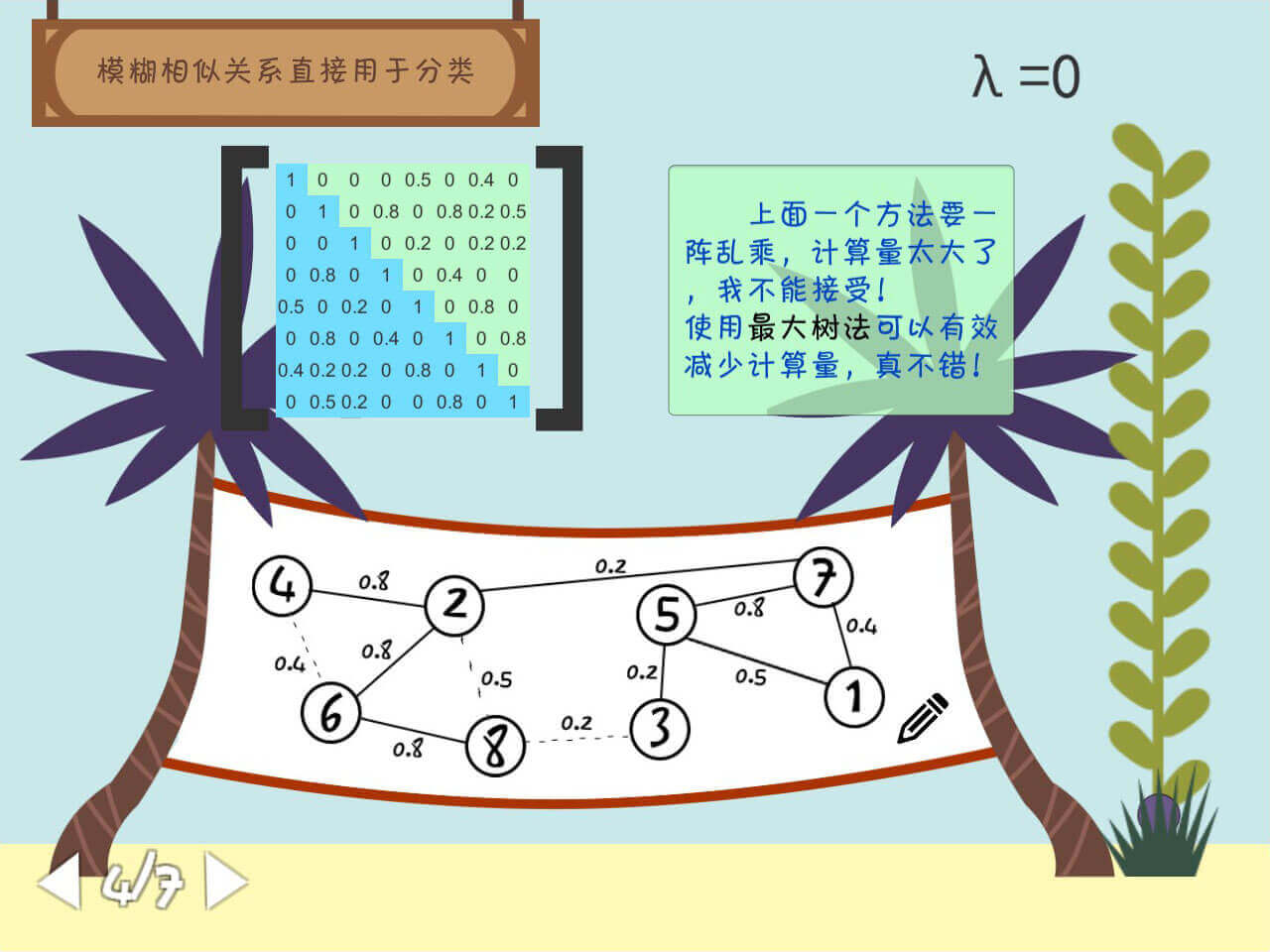
模糊相似关系直接用于分类
这部分没有对算法进行复现,直接面向结果编程了。
同样地,拖动 Slider 改变 λ 的值。
按下小铅笔绘制最大树。
using System;
using System.Collections;
using System.Collections.Generic;
using System.Numerics;
using UnityEngine;
using UnityEngine.UI;

public class Scece4Controller : MonoBehaviour
{
    [SerializeField] private Slider slider;
    [SerializeField] private Text lambdaText;
    [SerializeField] private Color matrixColor;
    [SerializeField] private GameObject Edges;
    private double mu = 1;
    private double lambda;
    private double[,] R = new double[8, 8]{
                {1, 0, 0, 0, 0.5, 0, 0.4, 0},
                {0, 1, 0, 0.8, 0, 0.8, 0.2, 0.5},
                {0, 0, 1, 0, 0.2, 0, 0.2, 0.2},
                {0, 0.8, 0, 1, 0, 0.4, 0, 0 },
                {0.5, 0, 0.2, 0, 1, 0,  0.8, 0 },
                {0, 0.8, 0,0.4, 0,1,0,0.8 },
                {0.4, 0.2, 0.2, 0, 0.8,0,1,0 },
                {0,0.5,0.2,0,0,0.8,0,1 }
            };
    [SerializeField] private GameObject Matrix;
    // Start is called before the first frame update
    void Start()
    {
        lambda = Math.Round(slider.value, 2);
        for (int i = 0; i < 64; i++)
        {
            Matrix.transform.Find((i + 1).ToString()).Find("Text").GetComponent<Text>().text = R[i / 8, i % 8].ToString();
            if(i / 8 >= i % 8)
            {
                Matrix.transform.Find((i + 1).ToString()).GetComponent<Image>().color = matrixColor;
            }
        }
        OnSliderValueChanged();
    }
    public void OnDrawButton()
    {
        if (mu == 1)
            mu = 0.8;
        else if (mu == 0.8)
            mu = 0.5;
        else if (mu == 0.5)
            mu = 0.4;
        else if (mu == 0.4)
            mu = 0.2;
        else
            mu = 1;
        UpdateUI();
    }
    public void OnSliderValueChanged()
    {
        lambda = Math.Round(slider.value, 2);
        lambdaText.text = "λ=" + lambda;
        UpdateUI();
    }
    void UpdateUI()
    {
        for (int i = 0; i < Edges.transform.childCount; i++)
        {
            double temp = double.Parse(Edges.transform.GetChild(i).name.Split(' ')[1]);
            if (temp >= mu && temp >= lambda)
            {
                Edges.transform.GetChild(i).gameObject.SetActive(true);
            }
            else
                Edges.transform.GetChild(i).gameObject.SetActive(false);
        }
    }
    // Update is called once per frame
    void Update()
    {

    }
}
5
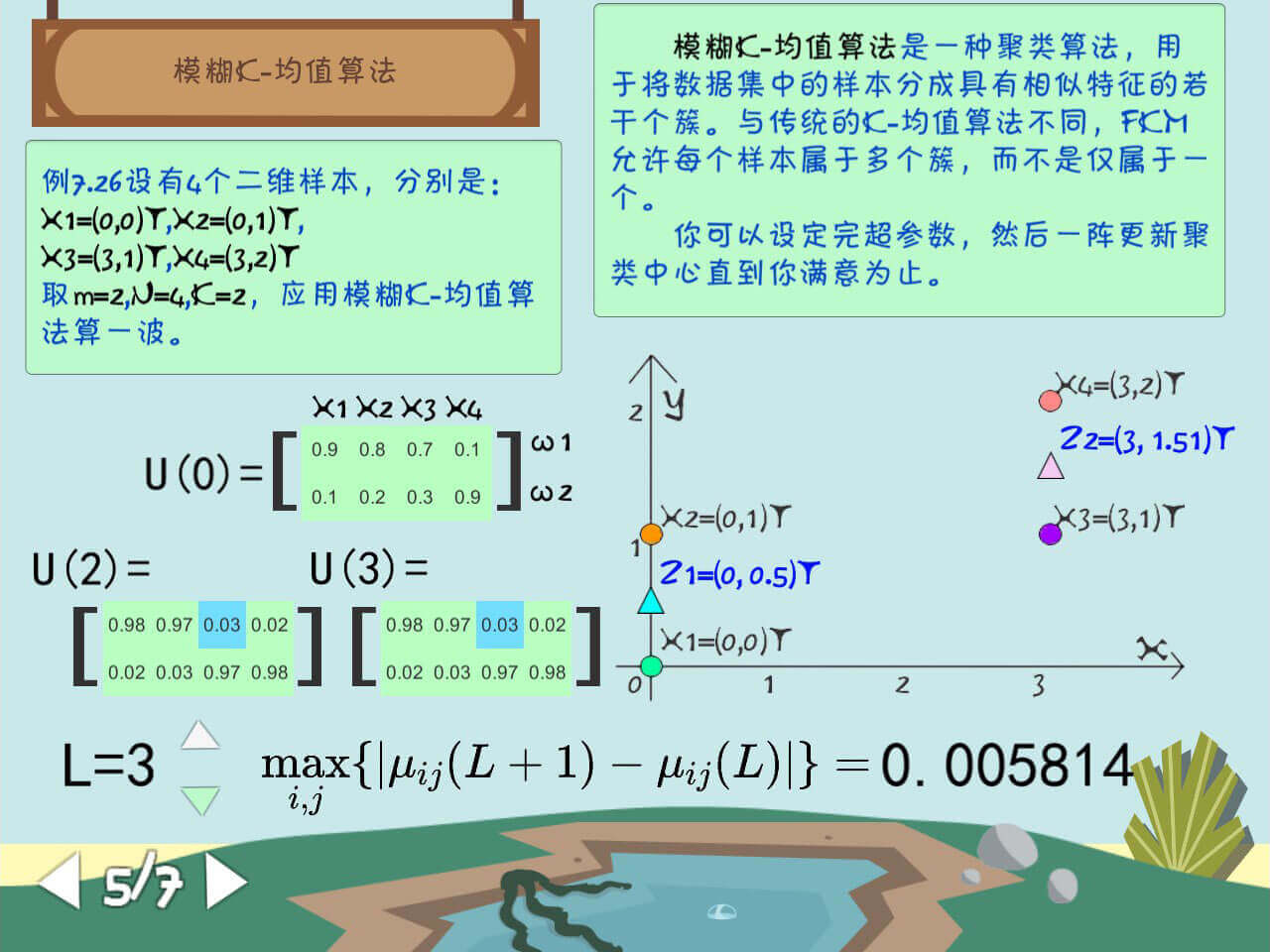
模糊 K-均值算法
按下按钮更改 L 的值。
记得这里在前端琢磨了好久,因为没有想到好的方法来转换游戏空间坐标与图像坐标。
最后还是写个了很粗糙的方法,没用上 Dotween。
using DG.Tweening;
using Newtonsoft.Json.Linq;
using System;
using System.Collections;
using System.Collections.Generic;
using System.Threading;
using UnityEngine;
using UnityEngine.UI;
using static UnityEngine.UI.Image;

public class Scene5Controller : MonoBehaviour
{
    [SerializeField] private GameObject Matrix1;
    [SerializeField] private GameObject Matrix2;
    [SerializeField] private GameObject Matrix3;
    [SerializeField] private Text LText;
    [SerializeField] private Text CondictionText;
    [SerializeField] private Color originColor;
    [SerializeField] private Color matrixColor;
    private int x = 0;
    private int y = 0;

    [SerializeField] private Text U_1_Text;
    [SerializeField] private Text U_Text;
    [SerializeField] private GameObject Z_1GameObject;
    [SerializeField] private GameObject Z_2GameObject;

    private Vector3 Z_1_old_position = Vector3.zero;
    private Vector3 Z_1_new_position = Vector3.zero;
    private Vector3 Z_2_old_position = Vector3.zero;
    private Vector3 Z_2_new_position = Vector3.zero;
    private float timer = 0;

    private int L = 0;
    private double[,] X = new double[4, 2]
    {
        {0, 0 },
        {0, 1 },
        {3, 1 },
        {3, 2 },
    };
    private double[] Z_1 = new double[] { 1.84, 1.84 };
    private double[] Z_2 = new double[] {2.84, 1.84};
    private double[,] U = new double[2, 4]{
                {0.9, 0.8, 0.7, 0.1},
                {0.1, 0.2, 0.3, 0.9},
    };
    private double[,] U_L_1 = new double[2, 4]{
                {0.9, 0.8, 0.7, 0.1},
                {0.1, 0.2, 0.3, 0.9},
    };
    private double[,] U_L = new double[2, 4]{
                {0.9, 0.8, 0.7, 0.1},
                {0.1, 0.2, 0.3, 0.9},
    };
    public void OnIncreseL()
    {
        L += 1;
        if(L == 7)
        {
            L = 1;
        }
        LText.text = "L=" + L;
        Calc();
        UpdateUI();
    }
    public void OnDecreseL()
    {
        L -= 1;
        if (L == 0)
        {
            L = 6;
        }
        LText.text = "L=" + L;
        Calc();
        UpdateUI();
    }
    public void Calc()
    {
        double[,] temp = new double[U.GetLength(0), U.GetLength(1)];
        for (int i = 0; i < U.GetLength(0); i++)
        {
            for (int j = 0; j < U.GetLength(1); j++)
            {
                temp[i, j] = U[i, j];
            }
        }
        for (int i = 0; i < L; i++)  // 重复 L 次
        {
            // Debug.Log("i=" + i +" ********************");
            for (int k = 0; k < 4; k++)
            {
                U_L_1[0, k] = temp[0, k];
                U_L_1[1, k] = temp[1, k];
                // Debug.Log(Math.Round(U_L_1[0, k], 2) + ", " + Math.Round(U_L_1[1, k], 2));
            }
            ////////////////// 计算 Z1
            double dividend_x_1 = 0;  // 被除数 x
            double dividend_y_1 = 0;  // 被除数 y
            double dvider_1 = 0;  // 除数

            double dividend_x_2 = 0;  // 被除数 x
            double dividend_y_2 = 0;  // 被除数 y
            double dvider_2 = 0;  // 除数
            for (int j = 0; j < 4; j++)  // 遍历第 0 行
            {
                dvider_1 += temp[0, j] * temp[0, j];
                dividend_x_1 += X[j, 0] * temp[0, j] * temp[0, j];
                dividend_y_1 += X[j, 1] * temp[0, j] * temp[0, j];

                dvider_2 += temp[1, j] * temp[1, j];
                dividend_x_2 += X[j, 0] * temp[1, j] * temp[1, j];
                dividend_y_2 += X[j, 1] * temp[1, j] * temp[1, j];
            }
            // 更新聚类中心
            Z_1[0] = dividend_x_1 / dvider_1;
            Z_1[1] = dividend_y_1 / dvider_1;
            Z_2[0] = dividend_x_2 / dvider_2;
            Z_2[1] = dividend_y_2 / dvider_2;
            // Debug.Log("迭代次数 " + i + " 聚类中心:(" + Z_1[0] + "," + Z_1[1] + "),(" + Z_2[0] + "," + Z_2[1] + ")");
            // 计算距离, 更新矩阵
            double d1;
            double d2;
            for (int k = 0; k < 4; k++)
            {
                // Debug.Log("---------------------");
                // Debug.Log("X" + (k + 1) + ": " + X[k, 0] + ", " + X[k, 1]);
                d1 = (X[k, 0] - Z_1[0]) * (X[k, 0] - Z_1[0]) + (X[k, 1] - Z_1[1]) * (X[k, 1] - Z_1[1]);
                d2 = (X[k, 0] - Z_2[0]) * (X[k, 0] - Z_2[0]) + (X[k, 1] - Z_2[1]) * (X[k, 1] - Z_2[1]);
                temp[0, k] = 1 / (1 + d1 / d2);
                temp[1, k] = 1 / (1 + d2 / d1);
                // Debug.Log(Math.Round(temp[0, k], 2) + ", " + Math.Round(temp[1, k], 2));
            }
        }
        // Debug.Log("!!!!!!!!!!!!!!!!");
        for (int k = 0; k < 4; k++)
        {
            U_L[0, k] = temp[0, k];
            U_L[1, k] = temp[1, k];
            // Debug.Log(Math.Round(U_L[0, k], 2) + ", " + Math.Round(U_L[1, k], 2));
        }
    }
    public void UpdateUI()
    {
        Matrix2.transform.Find((x * 4 + y + 1).ToString()).GetComponent<Image>().color = originColor;
        Matrix3.transform.Find((x * 4 + y + 1).ToString()).GetComponent<Image>().color = originColor;
        U_1_Text.text = "U(" + (L - 1).ToString() + ")=";
        U_Text.text = "U(" + L + ")=";

        for (int i = 0; i < 4; i++)
        {
            Matrix2.transform.Find((i + 1).ToString()).Find("Text").GetComponent<Text>().text = Math.Round(U_L_1[0, i], 2).ToString();
            Matrix2.transform.Find((i + 5).ToString()).Find("Text").GetComponent<Text>().text = Math.Round(U_L_1[1, i], 2).ToString();
            Matrix3.transform.Find((i + 1).ToString()).Find("Text").GetComponent<Text>().text = Math.Round(U_L[0, i], 2).ToString();
            Matrix3.transform.Find((i + 5).ToString()).Find("Text").GetComponent<Text>().text = Math.Round(U_L[1, i], 2).ToString();
        }
        double max = 0;

        for (int i = 0; i < U.GetLength(0); i++)
        {
            for (int j = 0; j < U.GetLength(1); j++)
            {
                if (max < Math.Abs(U_L_1[i, j] - U_L[i, j]))
                {
                    max = Math.Abs(U_L_1[i, j] - U_L[i, j]);
                    x = i;
                    y = j;
                }
            }
        }
        CondictionText.text = Math.Round(max, 6).ToString();

        Matrix2.transform.Find((x * 4 + y + 1).ToString()).GetComponent<Image>().color = matrixColor;
        Matrix3.transform.Find((x * 4 + y + 1).ToString()).GetComponent<Image>().color = matrixColor;

        Z_1_old_position = Z_1GameObject.transform.localPosition;
        Z_2_old_position = Z_2GameObject.transform.localPosition;

        Z_1GameObject.transform.Find("Text").GetComponent<Text>().text = "Z1=(" + Math.Round(Z_1[0], 2) + ", " + Math.Round(Z_1[1],2) + ")T";
        Z_1_new_position = new Vector3((float)(120 * Math.Round(Z_1[0], 2)), (float)(120 * Math.Round(Z_1[1], 2)), 0);
        // Z_1GameObject.transform.localPosition = Z_1_new_position;

        Z_2GameObject.transform.Find("Text").GetComponent<Text>().text = "Z2=(" + Math.Round(Z_2[0], 2) + ", " + Math.Round(Z_2[1],2) + ")T";
        Z_2_new_position = new Vector3((float)(120 * Math.Round(Z_2[0], 2)), (float)(120 * Math.Round(Z_2[1], 2)), 0);
        // Z_2GameObject.transform.localPosition = Z_2_new_position;
        timer = 0.5f;


    }
    // Start is called before the first frame update
    void Start()
    {
        for (int i = 0; i < 4; i++)
        {
            Matrix1.transform.Find((i + 1).ToString()).Find("Text").GetComponent<Text>().text = Math.Round(U[0, i], 2).ToString();
            Matrix1.transform.Find((i + 5).ToString()).Find("Text").GetComponent<Text>().text = Math.Round(U[1, i], 2).ToString();
        }
        L = 0;
        Z_1_old_position = Z_1GameObject.transform.localPosition;
        Z_2_old_position = Z_2GameObject.transform.localPosition;
        OnIncreseL();
    }

    // Update is called once per frame
    void Update()
    {
        if (timer > 0)
        {
            timer -= Time.deltaTime;
            Z_1GameObject.transform.localPosition = Z_1_old_position + (Z_1_new_position - Z_1_old_position) * (1 - timer) * (1 - timer);
            Z_2GameObject.transform.localPosition = Z_2_old_position + (Z_2_new_position - Z_2_old_position) * (1 - timer) * (1 - timer);
        }
    }
}
6
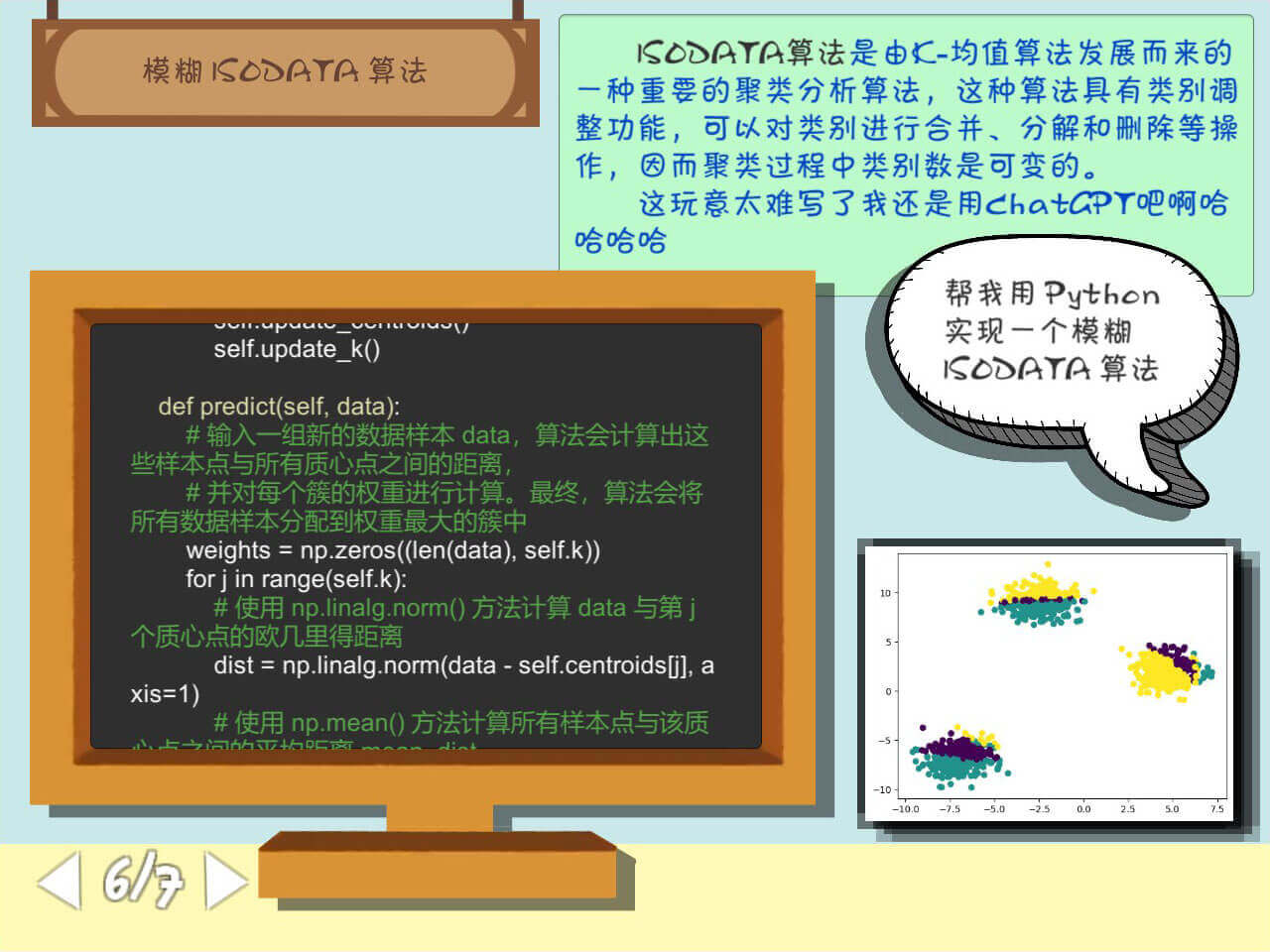
模糊 ISODATA 算法
这块计算量太大了,而且比较复杂,我没咋理解,更不会可视化了……
用 ChatGPT 帮忙写了一个 Python 版本的,用 Jupyter Notebook 确实能跑,但是稍微改一点参数就不能跑了,不过老田估计也不懂就鬼混过去了嘻嘻嘻。
把之前的代码滚动框抄了回去。
<color="#FF8800">import numpy as np
</color>

<color="#00FFFF">class FuzzyISODATA</color>():
    <color="#dcdcaa">def __init__(self, data, k, max_iter, min_samples=1, max_samples=None)</color>:
        self.data = data  <color="#57a64a"># 输入的样本数据</color>
        self.k = k  <color="#57a64a"># 簇的数量</color>
        self.max_iter = max_iter  <color="#57a64a"># 最大迭代次数</color>
        self.min_samples = min_samples  <color="#57a64a"># 每个簇的最小样本数</color>
        <color="#57a64a"># 每个簇的最大样本数 max_samples。如果未指定,则默认为样本数据 data 的长度</color>
        self.max_samples = max_samples if max_samples is not None else len(data)
        self.epsilon = 0.01  <color="#57a64a"># 容差阈值</color>
        self.alpha = 0.5  <color="#57a64a"># 簇重心标准偏差的阈值</color>
        self.beta = 0.5  <color="#57a64a"># 样本点从属度的阈值</color>

        self.centroids = None  <color="#57a64a"># 簇质心</color>
        self.weights = None  <color="#57a64a"># 每个样本点在所有簇中的从属度</color>

    <color="#dcdcaa">def initialize(self)</color>:
        <color="#57a64a"># 从原始数据 self.data 中选取 k 个随机的质心点,保存到 self.centroids 变量中。</color>
        self.centroids = self.data[np.random.choice(len(self.data), self.k, replace=False), :]
        <color="#57a64a"># 初始化权重矩阵 self.weights,大小为 (len(self.data), k),其中每个元素都被初始化为 0</color>
        self.weights = np.zeros((len(self.data), self.k))
        <color="#57a64a"># 对于所有原始数据 self.data 中的向量,为它们随机分配一个初始的权重值</color>
        for i in range(len(self.data)):
            self.weights[i, np.random.randint(self.k)] = 1

    <color="#dcdcaa">def update_weights(self)</color>:
        <color="#57a64a"># 代码通过遍历所有的质心点 j,找到所有分配到第 j 个簇中的数据样本</color>
        for j in range(self.k):
            <color="#57a64a"># 如果该簇中的样本数小于预设的最小值 self.min_samples,</color>
            <color="#57a64a"># 那么就认为该簇没有足够的样本,后面就无法对它进行合并等操作,因此需要把该簇从质心和权重矩阵中删除,并把 self.k 减 1</color>
            samples = self.data[self.weights[:, j] > 0]
            if len(samples) < self.min_samples:
                mask = self.weights[:, j] == 1
                self.weights[mask, :] = np.delete(self.weights[mask, :], j, axis=1)
                self.centroids = np.delete(self.centroids, j, axis=0)
                self.k -= 1
                continue
            <color="#57a64a"># 对于有足够样本的簇,算法会根据该簇中所有样本与该簇的质心点 j 之间的距离计算出一个标准差 std_dev,</color>
            <color="#57a64a"># 并将除标准差以外的部分规范化为一个权重值,用于表示该样本属于该簇的程度</color>
            <color="#57a64a"># 首先计算所有样本到 j 号质心的欧几里得距离 dist</color>
            dist = np.linalg.norm(samples - self.centroids[j], axis=1)
            <color="#57a64a"># 求出这些距离的平均值 mean_dist 和标准差 std_dev</color>
            mean_dist = np.mean(dist)
            <color="#57a64a"># 利用高斯分布函数将距离 dist 转换为一个 0~1 之间的权重值,用于表示该样本属于这个簇的程度</color>
            std_dev = np.sqrt(np.mean((dist - mean_dist) ** 2))

            mask = self.weights[:, j] > 0
            <color="#57a64a"># 根据计算出来的权重更新 self.weights 矩阵中的对应位置,即将 self.weights[i, j] 赋值为上面计算出来的权重值</color>
            self.weights[mask, j] = np.exp(-((dist - mean_dist) ** 2) / (2 * std_dev ** 2))

    <color="#dcdcaa">def update_centroids(self)</color>:
        <color="#57a64a"># 遍历所有质心点 j,并根据每个簇的权重信息,重新计算第 j 个簇的质心坐标</color>
        for j in range(self.k):
            <color="#57a64a"># 通过对 self.weights 矩阵进行逻辑判断,</color>
            <color="#57a64a"># 筛选出所有满足 self.weights[:, j] > 0 条件的索引,即所有已经被分配到第 j 个簇的数据样本</color>
            mask = self.weights[:, j] > 0
            <color="#57a64a"># 使用 np.mean() 方法在这些样本上分别计算出每个维度上的均值,作为该簇新的质心坐标</color>
            self.centroids[j] = np.mean(self.data[mask], axis=0)

    <color="#dcdcaa">def update_k(self)</color>:
        <color="#57a64a"># 判断样本数据量是否超过了 self.max_samples,如果没有超过就直接返回,不做任何处理</color>
        if len(self.data) <= self.max_samples:
            return
        <color="#57a64a"># 样本数据量超过 self.max_samples 时,算法会计算所有质心点中每个维度的标准差,</color>
        <color="#57a64a"># 并筛选出其中标准差大于 self.epsilon 的质心点,即待进行拆分操作的质心点。</color>
        <color="#57a64a"># 这通过对 self.centroids 中每个质心点在各个维度上的标准差进行计算,</color>
        <color="#57a64a"># 并使用 np.where() 方法筛选出标准差大于 self.epsilon 的质心点来实现。</color>
        centroids_to_split = np.where(np.std(self.centroids, axis=1) > self.epsilon)[0]

        <color="#57a64a"># 对于每个待拆分的质心点 i</color>
        for i in centroids_to_split:
            <color="#57a64a"># 算法会在该质心点的位置插入一个新的质心点 i+1。</color>
            <color="#57a64a"># 具体地,代码使用新质心点的计算公式,即当前质心坐标加上一个随机扰动,生成一个新的质心坐标</color>
            new_centroid = self.centroids[i] + self.alpha * np.std(self.data, axis=0)[i] * np.random.randn(len(self.data[0]))
            <color="#57a64a"># 使用 np.insert() 方法将这个新的质心坐标插入到 self.centroids 数组中第 i+1 个位置</color>
            self.centroids = np.insert(self.centroids, i + 1, new_centroid, axis=0)

            <color="#57a64a"># 根据每个簇的权重信息,对新拆分出来的簇进行样本分配</color>
            <color="#57a64a"># 对于拆分出来的两个簇 i 和 i+1,算法会将原来被分配到第 i 个簇中的数据样本重新分配到距离它更近的质心中</color>
            mask = self.weights[:, i] > 0
            <color="#57a64a"># 对 self.weights 矩阵中被分配到第 i 个簇中的样本进行筛选</color>
            self.weights[mask, i] = self.beta
            <color="#57a64a"># 将它们的权重值从原来的 self.beta 修改为 1 - self.beta(即从属度由原来的较弱变为较强),</color>
            <color="#57a64a"># 同时将它们的权重值从第 i+1 个簇中原来的 0 修改为 1 - self.beta</color>
            self.weights[mask, i+1] = 1 - self.beta

            <color="#57a64a"># 将簇的数量 self.k 加一,表示新拆分出来的簇已经被计入簇的总数中</color>
            self.k += 1

    <color="#dcdcaa">def fit(self)</color>:
        self.initialize()

        for i in range(self.max_iter):
            self.update_weights()
            self.update_centroids()
            self.update_k()

    <color="#dcdcaa">def predict(self, data)</color>:
        <color="#57a64a"># 输入一组新的数据样本 data,算法会计算出这些样本点与所有质心点之间的距离,</color>
        <color="#57a64a"># 并对每个簇的权重进行计算。最终,算法会将所有数据样本分配到权重最大的簇中</color>
        weights = np.zeros((len(data), self.k))
        for j in range(self.k):
            <color="#57a64a"># 使用 np.linalg.norm() 方法计算 data 与第 j 个质心点的欧几里得距离</color>
            dist = np.linalg.norm(data - self.centroids[j], axis=1)
            <color="#57a64a"># 使用 np.mean() 方法计算所有样本点与该质心点之间的平均距离 mean_dist</color>
            mean_dist = np.mean(dist)
            <color="#57a64a"># 计算样本点与平均距离之间的标准差 std_dev</color>
            std_dev = np.sqrt(np.mean((dist - mean_dist) ** 2))
            <color="#57a64a"># 使用高斯核函数(Gaussian Kernel)计算每个样本分别属于第 j 个簇的概率</color>
            weights[:, j] = np.exp(-((dist - mean_dist) ** 2) / (2 * std_dev ** 2))

        <color="#57a64a"># 算法选取每个样本点分别属于哪个簇的权重值最大,即使用 argmax() 方法在 weights 矩阵的第二个轴上取最大值所在的索引</color>
        return weights.argmax(axis=1)

<color="#FF8800">import matplotlib.pyplot as plt</color>
<color="#FF8800">from sklearn.datasets import make_blobs</color>

<color="#57a64a"># 生成一些随机的数据点</color>
data, _ = make_blobs(n_samples=1000, centers=3, n_features=2, random_state=42)

<color="#57a64a"># 使用模糊 ISODATA 算法聚类数据</color>
fisodata = FuzzyISODATA(data, k=3, max_iter=20)
fisodata.fit()
labels = fisodata.predict(data)

<color="#57a64a"># 将聚类结果可视化</color>
plt.scatter(data[:, 0], data[:, 1], c=labels)
plt.show()
7
SynthText3D
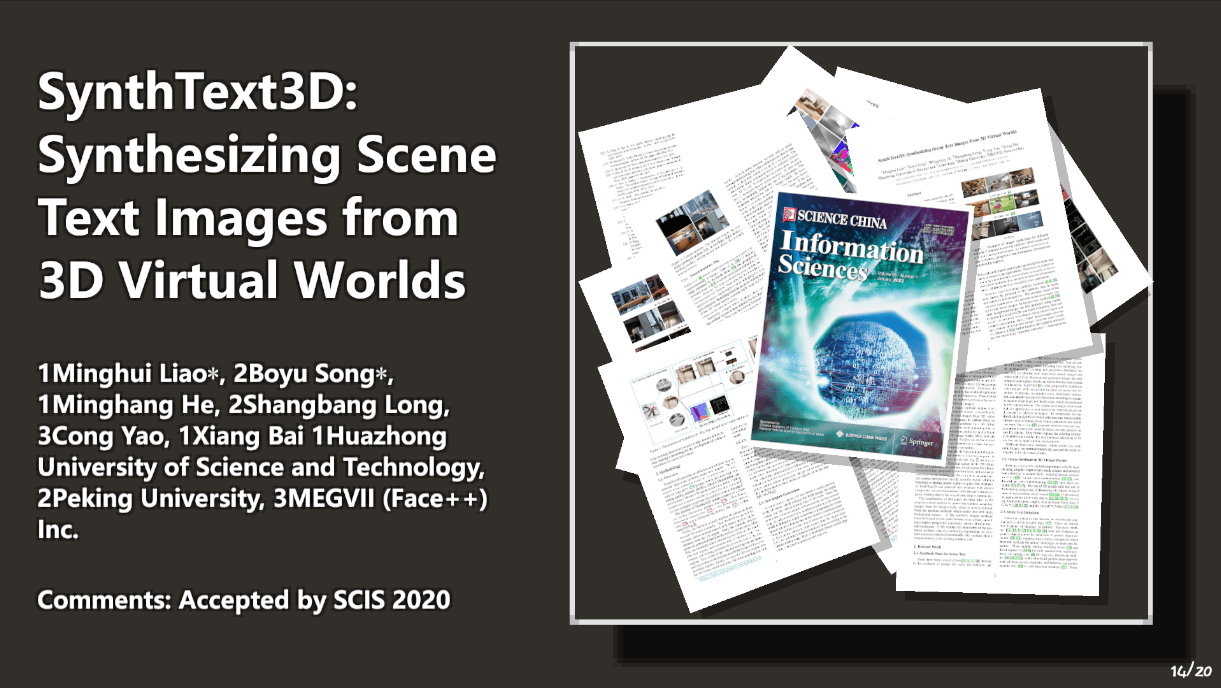
布局是左边文字右边图片。配色方案:
- 背景:
#312E2B - 文字:
- 绿:
#92E86C - 红:
#FF8080 - 青:
00FFFF
- 绿:
写了个更换鼠标指针的逻辑,结果编译完没生效,寄!
using UnityEngine;

public class ChangeCursor : MonoBehaviour
{
    public Texture2D cursorTexture;
    // Start is called before the first frame update
    void Start()
    {
        Cursor.SetCursor(cursorTexture, Vector2.zero, CursorMode.Auto);
    }
}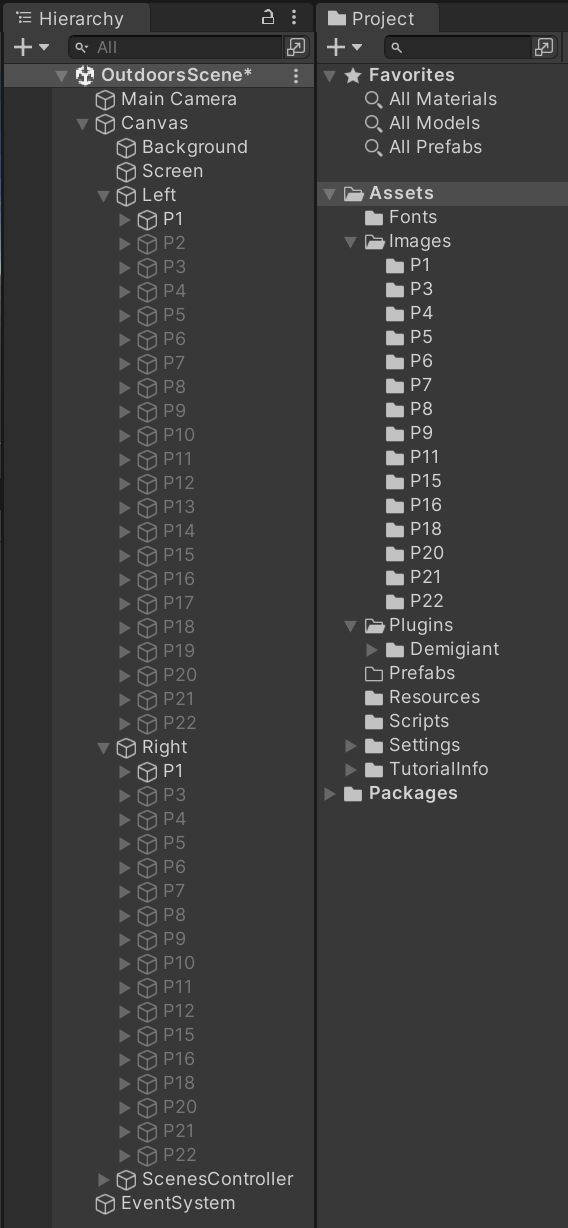
Hierarchy 和 Project 的放置。左边的幻灯片序号是连续的,右边则不然,右边的 GameObject 绑定了 SceneID 类以和左边绑定。
using UnityEngine;

public class SceneID : MonoBehaviour
{
    public int ID = 0;
}
写了个 ScenesController 类用于控制翻页。
- 按下
左/A键向前翻页,执行privousScene()。 - 按下
右/D键向后翻页,执行nextScene()。 playAnimation()掌管翻页动画,使用Dotween插件。
using System.Collections;
using System.Collections.Generic;
using Unity.VisualScripting;
using UnityEngine;
using UnityEngine.UI;
using DG.Tweening;

public class ScenesController : MonoBehaviour
{
    [SerializeField] private Transform leftScenesParent;
    private List<Transform> leftScenes = new List<Transform>();
    [SerializeField] private Transform rightScenesParent;
    private List<Transform> rightScenes = new List<Transform>();

    private int currentRightScene = 0;
    private int oldRightScene = 0;
    private int currentLeftScene = 0;
    private int oldLeftScene = 0;
    [SerializeField] private Text sceneIndexUI;
    private bool allowChange = true;

    // Start is called before the first frame update
    void Start()
    {
        for (int i = 0; i < leftScenesParent.childCount; i++)
        {
            leftScenes.Add(leftScenesParent.GetChild(i));
            leftScenes[i].localPosition = new Vector3(0, -1440, 0);
        }
        leftScenes[0].localPosition = Vector3.zero;

        for (int i = 0; i < rightScenesParent.childCount; i++)
        {
            rightScenes.Add(rightScenesParent.GetChild(i));
            rightScenes[i].localPosition = new Vector3(0, 1440, 0);
        }
        leftScenes[0].localPosition = Vector3.zero;
        rightScenes[0].localPosition = Vector3.zero;

        sceneIndexUI.text = (currentLeftScene + 1) + "/" + leftScenes.Count;
    }

    // Update is called once per frame
    void Update()
    {
        if (Input.GetKeyDown(KeyCode.LeftArrow) || Input.GetKeyDown(KeyCode.A))
        {
            privousScene();
        }
        if (Input.GetKeyDown(KeyCode.RightArrow) || Input.GetKeyDown(KeyCode.D))
        {
            nextScene();
        }
    }

    private void privousScene()
    {
        if (allowChange)
        {
            allowChange = false;
            Debug.Log("privousScene()");
            oldLeftScene = currentLeftScene;
            if (currentLeftScene == 0)
                currentLeftScene = leftScenes.Count - 1;
            else
                currentLeftScene -= 1;
            sceneIndexUI.text = (currentLeftScene + 1) + "/" + leftScenes.Count;

            playAnimation();
        }
    }
    private void nextScene()
    {
        if (allowChange)
        {
            allowChange = false;
            Debug.Log("nextScene()");
            oldLeftScene = currentLeftScene;
            currentLeftScene = (currentLeftScene + 1) % leftScenes.Count;
            sceneIndexUI.text = (currentLeftScene + 1) + "/" + leftScenes.Count;

            playAnimation();
        }
    }
    private void playAnimation()
    {
        oldRightScene = currentRightScene;
        if (rightScenes[rightScenes.Count - 1].GetComponent<SceneID>().ID <= currentLeftScene)
        {
            currentRightScene = rightScenes.Count - 1;
        }
        else
        {
            for (int i = 0; i < rightScenes.Count - 1; i++)
            {
                if (rightScenes[i].GetComponent<SceneID>().ID <= currentLeftScene && rightScenes[i + 1].GetComponent<SceneID>().ID > currentLeftScene)
                {
                    currentRightScene = i;
                }
            }
        }

        Tweener tweenerLeftOut = null;
        Tweener tweenerRightOut = null;
        if (oldLeftScene > currentLeftScene)
        {
            tweenerLeftOut = leftScenes[oldLeftScene].DOLocalMoveY(-1440, 1);
        }
        else
        {
            tweenerLeftOut = leftScenes[oldLeftScene].DOLocalMoveY(1440, 1);
        }
        if (oldRightScene > currentRightScene)
        {
            tweenerRightOut = rightScenes[oldRightScene].DOLocalMoveY(1440, 1);
        }
        else if (oldRightScene < currentRightScene)
        {
            tweenerRightOut = rightScenes[oldRightScene].DOLocalMoveY(-1440, 1);
        }

        leftScenes[currentLeftScene].gameObject.SetActive(true);
        rightScenes[currentRightScene].gameObject.SetActive(true);
        Tweener tweenerLeftIn = leftScenes[currentLeftScene].DOLocalMoveY(0, 1);
        Tweener tweenerRightIn = null;
        if (currentRightScene != oldRightScene)
        {
            tweenerRightIn = rightScenes[currentRightScene].DOLocalMoveY(0, 1);
        }
        Debug.Log("currentRightScene: " + currentRightScene + " oldRightScene: " + oldRightScene + " currentLeftScene: " + currentLeftScene + " oldLeftScene" + oldLeftScene);
        tweenerLeftIn.OnComplete(() =>
        {
            for (int i = 0; i < leftScenes.Count; i++)
            {
                if (i > currentLeftScene)
                {
                    leftScenes[i].localPosition = new Vector3(0, -1440, 0);
                    leftScenes[i].gameObject.SetActive(false);
                }
                else if (i < currentLeftScene)
                {
                    leftScenes[i].localPosition = new Vector3(0, 1440, 0);
                    leftScenes[i].gameObject.SetActive(false);
                }
            }
            allowChange = true;
        });
    }
}
显示图片的动画代码,这个应该是弃案了。
using System.Collections;
using System.Collections.Generic;
using System.Linq;
using UnityEngine;
using UnityEngine.UI;
using DG.Tweening;

public class ShowPictures : MonoBehaviour
{
    [SerializeField] private Transform imagesParent;
    private List<Image> images = new List<Image>();
    // Start is called before the first frame update
    void Start()
    {
        for (int i = 0; i < imagesParent.childCount; i++)
        {
            images.Add(imagesParent.GetChild(i).GetComponent<Image>());
            images[i].color = new Color(images[i].color[0], images[i].color[1], images[i].color[2], 0);
        }
        showPictures(0);
    }

    private void showPictures(int i)
    {
        if (i < images.Count)
        {
            Tweener tweener = images[i].DOFade(1, 0.5f);
            tweener.OnComplete(()=> showPictures(i + 1));
        }

    }
}
经典的挂伟哥动画代码:
using UnityEngine;
using UnityEngine.UI;
using DG.Tweening;
using Unity.VisualScripting;

public class ChangeColor : MonoBehaviour
{
    [SerializeField] private bool isImage = true;
    private Image image;
    private Text text;
    // Start is called before the first frame update
    void Start()
    {
        if (isImage)
        {
            image = GetComponent<Image>();
            float H, S, V;
            Color.RGBToHSV(image.color, out H, out S, out V);
            changeColor(H, S, V);
        }
        else
        {
            text = GetComponent<Text>();
            float H, S, V;
            Color.RGBToHSV(text.color, out H, out S, out V);
            changeColor(H, S, V);
        }
    }

    private void changeColor(float H, float S, float V)
    {
        float newH = H + 0.01f;
        if (newH > 1)
        {
            newH = 0;
        }
        Tweener tweener = null;
        if (isImage)
        {
            tweener = image.DOColor(Color.HSVToRGB(newH, S, V), 0.05f);
        }
        else
        {
            tweener = text.DOColor(Color.HSVToRGB(newH, S, V), 0.05f);
        }
        // 将 HSV 颜色转换回 RGB 格式
        tweener.OnComplete(()=> changeColor(newH, S, V));
    }
}
本来有一个按下按钮出一个闽南语祝伟哥生日快乐的功能,结果汇报的时候不知道为啥没按出来……
using UnityEngine;
using UnityEngine.UI;

public class PlaySounds : MonoBehaviour
{
    public AudioClip soundClip;
    private AudioSource audioSource;

    private void Start()
    {
        // 获取按钮所附加的 AudioSource 组件
        audioSource = GetComponent<AudioSource>();
        if (audioSource == null)
        {
            // 如果按钮上没有 AudioSource,则添加一个
            audioSource = gameObject.AddComponent<AudioSource>();
        }

        // 设置 AudioSource 的音频剪辑
        audioSource.clip = soundClip;

        // 确保按钮有一个按钮点击事件处理程序,并将 PlaySound() 方法添加为响应方法
        Button button = GetComponent<Button>();
        button.onClick.AddListener(PlaySound);
    }

    // 播放声音的方法
    private void PlaySound()
    {
        Debug.Log("Play Sound!");
        audioSource.Play();
    }
}